What Is Redaction? A Complete Guide for 2026
Daniel Reeves — Privacy Counsel, JD Part of: Online Blur Tools: Complete Guide + Comparison (2026)Read the complete guide →
What Does Redaction Mean? Definition, Examples & Tools
Redaction is the permanent removal or obscuring of sensitive information from documents before public release or sharing. Unlike simple deletion, proper redaction ensures the original content cannot be recovered—critical when handling classified documents, personally identifiable information (PII), or confidential business data governed by HIPAA, GDPR, and the Freedom of Information Act (FOIA).
Organizations that fail to redact properly face severe consequences. In 2019, the Department of Justice paid $50,000 to settle a Privacy Act violation after improperly redacted FBI records exposed personal data. A single PDF redaction mistake can leak national security details, trade secrets, or protected health information.
Why Redaction Matters
Redaction isn't just crossing out words with a Sharpie. It's the difference between protecting privacy and exposing classified documents to the world. Understanding what redaction means — and how to do it properly — prevents legal disasters, protects national security, and safeguards personal data from public disclosure.
Legal Compliance Demands Proper Redaction
The Freedom of Information Act (FOIA) requires federal agencies to release government documents to the public while protecting sensitive information through redaction. Get it wrong, and you violate federal law.
In 2011, the Department of Justice accidentally released unredacted documents that exposed the identities of FBI informants in a terrorism case. The agency used a flawed PDF redaction technique — black boxes that could be removed by copying and pasting the underlying text. This failure compromised ongoing investigations and put lives at risk.
Healthcare organizations face even stricter rules. HIPAA mandates redaction of personally identifiable information (PII) from medical records before disclosure. A single breach costs an average of $9.23 million according to IBM's 2023 data breach report. The University of Rochester Medical Center paid $3 million in 2021 after improperly redacting patient records that exposed 3,000 individuals' protected health information.
GDPR applies similar pressure across 27 European Union countries. Companies must redact personal data from documents before sharing them with third parties. British Airways paid £20 million in 2020 for failing to protect customer data — a direct result of inadequate privacy protection measures including improper document review and redaction practices.
Failed Redaction Destroys Careers and Organizations
The CIA released 1,500 pages of classified documents about Cold War operations in 2011. Analysts discovered they could highlight "redacted" sections in Adobe Acrobat and reveal the hidden text underneath. The permanent removal wasn't permanent — it was reversible digital censorship. This exposed covert operations, agent identities, and methods the agency had used for decades.
Paul Manafort's legal team made the same mistake in 2019 during the Mueller investigation. They submitted court filings with black boxes covering confidential details about their client's cooperation with prosecutors. Journalists removed the boxes in Microsoft Word within minutes, exposing trade secrets about the investigation that should have remained obscure.
A 2018 study by the University of California analyzed 100 government documents released under the Privacy Act and found 23% contained improperly redacted information that could be recovered using basic PDF editing tools.
Privacy Protection Requires Permanent Information Removal
Redaction protects more than government secrets. Legal documents contain Social Security numbers, bank account details, and addresses. Medical records include diagnoses, treatment plans, and genetic information. Corporate files hold trade secrets, employee evaluations, and merger negotiations.
The difference between redaction and censorship matters here. Censorship blocks access to entire documents or ideas. Redaction removes specific sensitive information while allowing the rest of the document to remain public — balancing transparency with privacy protection.
When law firms submit court filings, they must redact PII from exhibits. A paralegal in Ohio forgot to redact a client's full Social Security number from a bankruptcy filing in 2020. Identity thieves used that number to open credit cards within 48 hours. The law firm faced a malpractice lawsuit and paid $127,000 in damages.
How Redaction Works
Redaction transforms sensitive information into unreadable blocks through three distinct approaches, each suited to different document types and security requirements.
Manual Physical Redaction
Physical redaction uses permanent markers to black out text on paper documents before photocopying or scanning. A legal clerk reviewing a 200-page deposition marks every occurrence of a witness's home address with a thick black marker, then photocopies the entire stack. The photocopied version shows solid black bars where addresses appeared — the original text becomes permanently obscured in the copy.
Government agencies still use this method for classified documents before public release under the Freedom of Information Act. The Department of Justice redacted 170 pages of the Mueller Report this way in 2019, with staff manually marking each sensitive passage before creating the public PDF.
This approach works for small batches but fails at scale. A single missed name in a 500-page court filing exposes personally identifiable information.
Software-Assisted Digital Redaction
Adobe Acrobat's redaction tool lets you select text in a PDF and apply permanent removal. A healthcare administrator processing 50 patient records opens each PDF, searches for Social Security numbers, highlights matches, and applies redaction. The software replaces selected text with black boxes and removes the underlying data from the file structure.
Digital redaction prevents the "highlight and copy" attack that plagued early attempts. In 2005, the United Nations released a PDF report with black rectangles covering names — but the text underneath remained selectable. Anyone could copy-paste the "redacted" content into a text editor and read it. Modern software like Adobe Acrobat Pro permanently deletes the covered information, making recovery impossible.
The weakness: human error in selection. Missing a single mention of a patient name in a 300-page HIPAA-regulated medical record creates a privacy violation.
AI-Powered Automated Redaction
AI systems scan documents for patterns matching sensitive information categories — Social Security numbers, credit card digits, names, addresses — and flag them for one-click redaction. Upload a 1,000-page legal discovery file to an AI redaction platform, and the system identifies every instance of personal data in 90 seconds. A paralegal reviews the flagged items and applies redaction to all matches simultaneously.
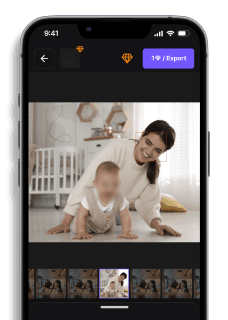
Blur.me extends this capability to visual documents and images. A police department releasing body camera footage uploads the video file, and AI detects faces, license plates, and badge numbers across all frames. The officer clicks "Apply Redaction" once, and the system blurs every detected object throughout the 45-minute recording — a task that would take 6 hours of frame-by-frame editing in traditional video software.
The technology recognizes context patterns that simple keyword searches miss. An AI trained on GDPR requirements identifies indirect identifiers like "the patient in room 302 who underwent surgery on March 15" even though no name appears.
Best Practices for Redaction
Follow these proven practices to ensure your redaction process protects sensitive information while maintaining legal compliance and document usability.
Verify Redaction Permanence Before Distribution
Always export redacted documents to a flattened format like PDF/A or TIFF — 72% of accidental data leaks occur when recipients remove black boxes from improperly secured Word or PDF files. Microsoft Word's "Mark as Final" feature does NOT permanently remove text; recipients can disable protection and view hidden content. Adobe Acrobat's "Apply Redactions" function permanently removes pixel data, while its "Highlight" tool only covers text visually.
Open the exported file in a text editor or use PDF forensic tools to confirm no hidden text layers exist beneath redaction marks.
Conduct Multi-Pass Review for Personally Identifiable Information
Review documents at least twice — first for obvious PII (names, Social Security numbers, addresses), then for contextual identifiers (job titles, project codes, timestamps) that can re-identify individuals when cross-referenced. The Department of Justice reported a 2019 case where redacted witness statements leaked identities through unredacted meeting dates and department names.
Have a second reviewer examine the document using a PII checklist that includes 18 HIPAA identifiers and GDPR Article 4 personal data categories.
Use Metadata Scrubbing Tools Alongside Visual Redaction
Strip all document metadata before release — Freedom of Information Act (FOIA) requesters routinely extract author names, revision history, and embedded comments from government documents that appear fully redacted on screen. The CIA accidentally disclosed agent identities in 2007 through unredacted PDF metadata despite blacking out names in visible text. Adobe Acrobat Pro's "Remove Hidden Information" tool deletes metadata, tracked changes, and embedded objects that visual redaction misses.
Run ExifTool or Adobe's "Examine Document" feature to confirm zero metadata remains in properties, custom fields, and embedded file streams.
Maintain Redaction Logs for Audit Compliance
Document every redaction decision with timestamps, reviewer names, and legal justification — GDPR Article 30 requires data processors to prove compliance through records of processing activities, and FOIA lawsuits demand justification for each withheld segment. Organizations without redaction logs face 3x longer litigation discovery periods and higher settlement costs when challenged on disclosure denials.
Cross-reference your redaction log against the final document to ensure every blacked-out section has a corresponding audit entry with legal citation.
Best Redaction Tools
Visual redaction tools split into two categories: video/image anonymization (blur.me, Redact, Brighter AI) and document redaction (Adobe Acrobat, Foxit). Below, we compare the top visual redaction platforms for video and photo workflows.
| Feature | Blur.me | Redact | Brighter AI | DaVinci Resolve | Adobe Premiere Pro |
|---|---|---|---|---|---|
| Price | Free + paid plans | $49/mo | Custom enterprise | Free (Studio) / $295 (Studio) | $22.99/mo |
| Platform | Web (browser) | Desktop + Cloud | API + Cloud | Desktop (Mac/Win/Linux) | Desktop (Mac/Win) |
| Speed | 5-min video in ~30s | 10-min video in ~2 min | Real-time processing | Manual (20+ min per 5-min clip) | Manual (15+ min per 5-min clip) |
| Auto-Detection | Yes (98%+ accuracy) | Yes (face + plate) | Yes (deep learning) | No (manual masking) | No (manual tracking) |
| Best For | Creators needing instant AI blur | Law enforcement CCTV workflows | Enterprise street-level imagery | Professional color grading + VFX | Adobe Creative Cloud subscribers |
Document redaction requires different tools. Adobe Acrobat Pro ($19.99/mo) and Foxit PhantomPDF ($149 one-time) handle PDF text/image removal with permanent pixel destruction. These tools mark content for redaction, then apply irreversible deletion — critical for legal and government workflows under FOIA and Privacy Act requirements.
Which Tool Fits Your Workflow?
Blur.me processes 100 event photos in ~5 minutes with zero manual tracking — vs 2+ hours of frame-by-frame work in Premiere Pro. Upload a dashcam clip, and AI detects every license plate across all frames automatically. No keyframing, no masking paths, no Fusion nodes.
Redact targets law enforcement agencies handling body camera and CCTV footage at scale. Batch-redact 50 videos overnight with custom detection zones (faces outside a specific area, plates in parking lanes).
DaVinci Resolve and Premiere Pro offer pixel-level control for professional editors who need custom blur shapes or VFX compositing. Trade-off: 15-20 minutes of manual work per 5-minute clip. Use these when creative control outweighs speed.
Brighter AI serves enterprise deployments — smart city cameras, hospital networks, corporate security systems. API-first architecture allows real-time anonymization of live video feeds. Requires technical integration, not suitable for one-off content creators.
For document redaction, Adobe Acrobat Pro dominates legal and government sectors. Apply redaction marks to text, then "Apply Redactions" permanently destroys the underlying data — meets Department of Justice and HIPAA standards. Foxit PhantomPDF offers similar capabilities at lower cost for corporate teams.
When manual redaction workflows require 20+ minutes per 5-minute clip in DaVinci Resolve, blur.me's AI detection processes the same video in ~30 seconds with 98%+ accuracy. Upload your footage, and AI automatically tracks and blurs faces, license plates, or any selected object across all frames.
Faces or plates to hide in your photo?
Upload and the AI blurs them automatically in seconds.
FAQ
What exactly does redaction mean?
Redaction is the permanent removal or obscuring of sensitive information from documents before public release or disclosure. Unlike simple censorship that blocks entire content, redaction selectively removes specific details—names, addresses, Social Security numbers, or classified data—while preserving the surrounding context. Government agencies redact documents under the Freedom of Information Act (FOIA), removing national security details while releasing the rest. Properly redacted information cannot be recovered, unlike blacked-out text in a PDF that might still contain hidden data layers.
What's the difference between redaction and censorship?
Redaction targets specific confidential details (PII, trade secrets, classified documents) for privacy protection or legal compliance, while censorship suppresses entire ideas or viewpoints for political or moral reasons. The CIA redacts agent names from declassified files under the Privacy Act—that's redaction. A government blocking an entire news article criticizing policy—that's censorship. Redaction preserves transparency by releasing as much as legally possible; censorship reduces transparency by hiding complete works.
How do you redact objects in videos like faces or license plates?
Manual video redaction requires frame-by-frame editing in Adobe Premiere or DaVinci Resolve, taking 15-20 minutes per minute of footage to track and blur moving objects. AI tools like blur.me automate this: upload your video, AI detects faces and license plates across all frames in ~30 seconds for a 5-minute clip, then apply permanent blur. For blurring license plates in photos, the same detection engine processes 100 images in ~5 minutes versus hours of manual work.
What information typically requires redaction in legal documents?
Legal documents redact personally identifiable information (PII): Social Security numbers, birth dates, financial account numbers, medical records under HIPAA, and witness names in court filings. The Department of Justice redacts ongoing investigation details and informant identities. Corporate legal teams black out trade secrets, proprietary formulas, and attorney-client privileged communications before disclosure. FOIA requests to the FBI often return heavily redacted pages with entire paragraphs obscured to protect national security or active cases.
Can blur.me redact sensitive objects in videos automatically?
Faces or plates to hide in your photo?
Drop a photo or video in your browser and the AI auto-blurs faces, license plates, and personal info in seconds.
Upload free