What Is Video Anonymization? A Complete Guide for 2026
Maya Chen — Tech Writer & Privacy Advocate Part of: Blur Video Complete Guide: Tools, Methods & Best Practices (2026)Read the complete guide →
What Is Video Anonymization? A Complete Guide for 2025
Video anonymization is the process of automatically or manually obscuring identifiable information in video content to protect individual privacy and comply with data protection regulations. This includes blurring faces, redacting license plates, masking body features, and concealing other personal data that could reveal someone's identity. Organizations that fail to properly anonymize video footage risk GDPR fines up to €20 million or 4% of annual revenue, while HIPAA violations for healthcare video can trigger penalties exceeding $50,000 per incident.
Modern privacy regulations like GDPR and CCPA now require explicit consent before processing biometric data, making video anonymization essential for surveillance footage, body camera recordings, training datasets, and public content. AI-powered detection tools can process hours of footage in minutes, but understanding when automatic detection fails and manual redaction becomes necessary protects your organization from costly compliance violations and reputation damage.
Why Video Anonymization Matters
Video anonymization protects individuals' privacy by removing identifying information from footage before it's shared publicly or stored long-term. This process — whether through face blurring, pixelation, or masking techniques — has become essential as cameras proliferate in schools, hospitals, city streets, and workplaces. Without proper anonymization, organizations face legal penalties, reputational damage, and ethical violations.
Legal Requirements Under Privacy Regulations
GDPR (Article 6 and Article 9) classifies facial images as biometric data when processed for identification purposes. Organizations that fail to anonymize surveillance footage or body camera footage before sharing it can face fines up to €20 million or 4% of global annual revenue, whichever is higher. In 2020, Sweden's Data Protection Authority fined a municipality €20,000 for using facial recognition technology in schools without proper legal basis — a case that demonstrated how even educational institutions must anonymize individuals in video recordings.
HIPAA compliance requires healthcare providers to redact patient faces from medical training videos. The U.S. Department of Health and Human Services settled 14 HIPAA cases in 2022 alone, with penalties ranging from $100,000 to $4.3 million. A single unredacted patient face in a YouTube training video can trigger an investigation.
CCPA (California Consumer Privacy Act) gives residents the right to request deletion of personal data, including video footage. Organizations that retain identifiable surveillance footage without proper consent management systems face $7,500 per intentional violation.
Privacy and Ethics Beyond Compliance
Bystander privacy matters even when no law explicitly requires anonymization. A 2023 study by the Surveillance Technology Oversight Project found that 78% of Americans object to appearing in publicly shared surveillance footage without consent. Content creators on platforms like YouTube and TikTok increasingly blur faces to respect subjects who never agreed to appear online.
Automatic detection systems using machine learning and AI-powered detection can identify individuals across multiple camera angles, creating persistent tracking capabilities. Without identity concealment, this footage enables facial recognition technology to build movement profiles — a capability many privacy advocates consider intrusive even when legal.
Real-World Impact: Financial and Reputational Damage
The University of Oregon paid $42,000 in a 2019 FERPA settlement after staff accidentally posted a video containing student faces to a public website. The incident took 18 minutes to remove but triggered a federal investigation lasting 14 months.
Police departments face mounting pressure to anonymize body camera footage before public release. In 2021, the Seattle Police Department spent $1.2 million on video redaction software after manual anonymization created a backlog of 3,400 public records requests. The department's previous manual process required 40 hours of staff time per hour of footage — an unsustainable ratio that delayed transparency and eroded public trust.
Video editing software like Adobe Premiere Pro, Final Cut Pro, and DaVinci Resolve offer manual blurring tools, but these require frame-by-frame editing. A 10-minute surveillance clip can take 6-8 hours to manually redact using traditional masking techniques. This workload pushes organizations toward automatic anonymization tools that use OpenCV-based detection or commercial solutions with higher accuracy rates.
How Video Anonymization Works
Video anonymization applies blur, pixelation, or masking effects to hide faces, license plates, or other identifying details in recorded footage. The goal: protect privacy while preserving the video's informational value. A surveillance video showing a robbery still documents the incident — but with faces blurred, it no longer exposes bystanders' identities.
Three approaches dominate the field: manual frame-by-frame editing, software-assisted tracking, and AI-powered detection. Each method balances control, speed, and accuracy differently.
Manual Frame-by-Frame Editing
Manual anonymization means opening your video in Adobe Premiere Pro, Final Cut Pro, or DaVinci Resolve and drawing blur masks by hand. You scrub through the timeline, identify every frame where a face appears, and keyframe a blur effect to follow that face across motion.
A 30-second clip with three moving people might require 40+ keyframes to maintain coverage. Miss a single frame, and the face appears unblurred — a GDPR violation if that footage gets published. Manual editing offers pixel-perfect control but demands 20-40 minutes per minute of footage. News editors use this method when blurring a single interview subject, but it collapses under volume. Processing 50 hours of body camera footage manually would take weeks.
Software-Assisted Tracking
Motion tracking software (After Effects, HitFilm) automates some of the keyframing. You place a tracking point on a face in frame 1, and the software follows that point across subsequent frames. The blur effect moves with the tracked region.
This cuts manual work by 60-70% compared to pure keyframing, but tracking fails when subjects turn their heads, walk behind obstacles, or move off-screen. A person walking through a crowd triggers 8-12 tracking failures in a 10-second clip. You still spend 5-10 minutes per minute of footage babysitting the tracker and fixing breaks. Software-assisted tracking works for controlled environments (a single speaker on stage) but struggles with surveillance footage where multiple people cross paths unpredictably.
AI-Powered Automatic Detection
AI-powered tools like blur.me use machine learning models trained on millions of faces to detect and track subjects automatically. Upload a video, and the AI scans every frame for facial features — no manual marking required. Detection happens in seconds: a 5-minute 1080p video processes in ~30 seconds.
The AI handles scenarios that break traditional tracking: faces turning profile, partial occlusions (someone walking behind a pole), and crowded scenes with 10+ moving people. Blur.me tracks each detected face across frames using motion-aware object tracking — the blur follows the subject even when they move erratically or temporarily leave the frame.
Modern AI anonymization reaches 95%+ detection accuracy in standard lighting conditions. Failure cases still exist: extreme angles (top-down CCTV), heavy shadows, or faces smaller than 20x20 pixels. But where manual editing takes 30 minutes and software tracking takes 8 minutes, AI processing finishes in 30 seconds. For organizations handling CCTV footage, body camera recordings, or YouTube content at scale, AI anonymization is the only viable method.
GDPR Article 25 requires "data protection by design and by default" — meaning privacy measures must be baked into your workflow, not added as an afterthought. AI anonymization satisfies this requirement by making face blurring the default state. Upload raw footage, and identities are protected before human review begins. Manual methods force you to remember to blur — AI methods force you to remember to unblur (if legally permitted).
Best Practices for Video Anonymization
Effective video anonymization requires more than just running footage through a blur tool. These six practices ensure your privacy protection meets legal standards while maintaining usable video quality.
Audit Every Export Before Publishing
Run a second-pass review on every anonymized video — automatic detection systems miss 2-3% of faces in crowded scenes or challenging lighting conditions. One visible face in a 10-minute CCTV clip can trigger a GDPR complaint and €20 million fines under Article 83.
Validation check: Pause the exported video every 30 seconds and scan all corners of the frame. If you spot an unblurred face or license plate, re-process the entire clip.
Apply Irreversible Blur Methods Only
Use Gaussian blur with a minimum 25-pixel radius or pixelation at 16×16 blocks — weaker blur can be reversed using deconvolution algorithms, exposing the original biometric data. Adobe Premiere Pro's default 10-pixel blur has been successfully reversed in academic studies.
Validation check: Export a single frame as a PNG, then attempt to sharpen it in Photoshop using Unsharp Mask at 500% strength. If facial features become recognizable, your blur strength is too weak.
Anonymize Background Identifiers Beyond Faces
Blur company logos, street signs, house numbers, and vehicle license plates in addition to faces — GDPR's definition of personal data includes "any information relating to an identified or identifiable natural person." A visible street address combined with a timestamp can identify a subject even if their face is blurred.
Validation check: Watch the video with sound off and ask: "Can I identify where this was filmed or who appears in it?" If yes, additional redaction is required.
Use Batch Processing for High-Volume Compliance
Process 50+ videos simultaneously using AI-powered tools with batch upload — manual frame-by-frame blurring in DaVinci Resolve takes 15-20 minutes per 5-minute clip, making bulk surveillance footage reviews impractical. blur.me processes a 5-minute 1080p video in ~30 seconds and supports batch uploads of 100+ files.
Validation check: Calculate your time-per-video metric. If you're spending more than 2 minutes per 5-minute clip, your workflow needs automation.
Document Anonymization Decisions for Audit Trails
Maintain a log of which videos were processed, which objects were manually unblurred (e.g., authorized staff faces), and which anonymization method was applied. HIPAA compliance audits and CCPA data subject access requests require proof that you applied "reasonable safeguards" to protect sensitive information.
Validation check: Create a spreadsheet with columns for [Video ID | Processing Date | Anonymization Method | Faces Detected | Manual Overrides]. If you can't reconstruct your anonymization decisions from 6 months ago, your documentation is insufficient.
Test Detection Accuracy Across Edge Cases
Run test footage through your anonymization tool using challenging scenarios: side profiles, partial occlusions (hands covering faces), low light, motion blur, and multiple overlapping subjects. Facial recognition technology trained on frontal faces often fails at detecting 45-degree angles or faces behind chain-link fences.
Validation check: Upload a test video containing 20 faces at various angles and lighting conditions. If your tool detects fewer than 18, it's not suitable for compliance-critical work like body camera footage or surveillance video redaction.
Best Video Anonymization Tools
Choosing the right anonymization tool depends on your workflow, budget, and technical skill level. Below, we compare blur.me against five leading video anonymization platforms across key features that matter for privacy protection.
| Feature | Blur.me | Brighter AI | Celantur | Adobe Premiere Pro | DaVinci Resolve | Viso.ai |
|---|---|---|---|---|---|---|
| Price | Free tier + paid plans | Custom enterprise pricing | €99/month + custom | $22.99/month | Free (Studio) / $295 (Studio) | Custom enterprise pricing |
| Platform | Web (browser-based) | API + cloud platform | Desktop + API | Desktop (Mac/Windows) | Desktop (Mac/Windows/Linux) | Cloud platform + edge deployment |
| Speed | 5-min video in ~30 seconds | Real-time processing at 30 fps | 2-3 minutes per minute of footage | 20-40 minutes manual keyframing | 15-30 minutes manual tracking | Real-time CCTV streams |
| Auto-Detection | Yes (AI face tracking) | Yes (98%+ accuracy, deep learning) | Yes (GDPR-certified detection) | No (manual mask creation) | Partial (object tracker requires setup) | Yes (real-time AI detection) |
| Batch Support | Yes (100+ videos) | Yes (unlimited API calls) | Yes (folder processing) | Limited (project-based) | Limited (timeline-based) | Yes (multi-camera feeds) |
| Export Formats | MP4, MOV, same as input | MP4, AVI, custom formats | MP4, MOV, AVI | MP4, MOV, ProRes, DNxHD | MP4, MOV, MXF, ProRes | RTSP stream output |
| Learning Curve | Beginner (3-click workflow) | Intermediate (API integration) | Beginner (desktop app UI) | Advanced (full NLE mastery) | Advanced (Fusion compositing) | Intermediate (enterprise setup) |
| Best For | Budget creators, quick social media edits | Enterprise AI training datasets | Street-level imagery (Google Maps style) | Professional editors with time | Color grading experts who need blur | Large-scale CCTV surveillance |
Verdict: For enterprise-grade accuracy and deep natural anonymization, Brighter AI leads with its generative AI approach that replaces faces with synthetic ones instead of blurring — ideal for AI training data where you need realistic-looking anonymized footage. However, this comes at a premium price point with custom enterprise contracts.
If you're processing street-level imagery or outdoor surveillance footage where GDPR compliance certification matters, Celantur offers desktop software specifically built for this use case, with €99/month pricing that fits mid-sized organizations.
For professional video editors already working in Adobe Premiere Pro or DaVinci Resolve, manual masking gives you pixel-perfect control — but expect to spend 20-40 minutes per 5-minute clip tracking faces frame-by-frame. This workflow makes sense for high-budget productions where creative control justifies the time investment.
Blur.me stands out as the fastest AI-powered option for creators and small teams who need automatic face detection without the learning curve of professional NLE software. Upload a 5-minute video, and AI tracks all moving faces in ~30 seconds — 95% faster than manual keyframing in Premiere Pro. The browser-based platform works on any device without installation, making it the go-to choice for content creators publishing to YouTube, Instagram, or TikTok who need quick turnaround without sacrificing privacy protection.
For real-time CCTV anonymization at scale, Viso.ai handles live video streams with multi-camera support, but requires enterprise deployment and technical integration. Blur.me Enterprise offers similar real-time capabilities with simpler setup for organizations that need live video redaction without dedicated IT infrastructure.
The key trade-off across all tools: speed vs. control. Manual editors (Premiere, Resolve) give you frame-accurate masking but demand hours of work. AI-powered platforms (blur.me, Brighter AI, Celantur) automate detection but require review of edge cases where lighting, angles, or occlusions cause missed faces. For most use cases — social media content, educational videos, basic GDPR compliance — the 98%+ accuracy of modern AI detection justifies the massive time savings over manual workflows.
FAQ
What is the difference between anonymization and pseudonymization?
Anonymization permanently removes or destroys all personally identifiable information from video footage, making it impossible to identify individuals even with additional data. Once a face is blurred using irreversible Gaussian blur or complete masking, the original pixel data is gone forever. Pseudonymization, by contrast, replaces identifying information with reversible tokens or codes that can be re-linked to individuals using a separate key stored elsewhere. GDPR treats these differently: anonymized data falls outside GDPR scope entirely, while pseudonymized data remains personal data requiring ongoing protection. For surveillance footage released to the public, anonymization is the safer choice since no key exists to reverse the process. Healthcare organizations often use pseudonymization for internal research where re-identification might be necessary for patient follow-up.
Is video anonymization required by GDPR?
GDPR requires anonymization when processing video footage containing identifiable individuals without valid legal basis, particularly before public release or third-party sharing. Article 5(1)(e) mandates that personal data be kept only as long as necessary—surveillance footage showing bystanders' faces must be anonymized before archiving or sharing beyond authorized personnel. Organizations face fines up to €20 million or 4% of annual global turnover for non-compliance. However, GDPR allows legitimate processing for specific purposes like security monitoring or legal obligations without anonymization, provided proper consent, necessity, and data minimization principles apply. Blur.me helps organizations meet these requirements by automatically detecting and blurring faces in CCTV footage within seconds, reducing compliance workload by up to 95% while maintaining professional video quality for evidence preservation.
How accurate is automatic face detection for anonymization?
Modern AI-powered face detection achieves 95-98% accuracy under optimal conditions with frontal faces, good lighting, and minimal occlusion. However, accuracy drops significantly in real-world scenarios: side profiles reduce detection to 70-85%, low-light conditions to 60-75%, and heavy occlusions (masks, sunglasses) to 40-60%. Motion blur from fast-moving subjects in action footage creates additional challenges, often requiring 10-15% manual review. OpenCV's Haar Cascade classifier, used in many free tools, achieves only 70-80% accuracy compared to deep learning models like YOLO or MTCNN which reach 95%+ in controlled environments. Organizations processing sensitive surveillance footage should always conduct manual spot-checks on 5-10% of anonymized frames to catch detection failures, especially in crowded scenes or varying lighting conditions where false negatives pose compliance risks.
Can anonymized video be reversed or de-anonymized?
Properly anonymized video using irreversible blur or complete masking cannot be reversed because the original pixel data is permanently destroyed during processing. Gaussian blur with sufficient kernel size (15+ pixels) or pixelation with large block sizes (20+ pixels) creates mathematical irreversibility—no algorithm can reconstruct destroyed information. However, weak anonymization methods are vulnerable: 5-pixel blur or small pixelation blocks can sometimes be reversed using AI-powered deblurring or super-resolution techniques. This is why GDPR compliance requires demonstrating that anonymization is "irreversible" using state-of-the-art technology. Blur.me applies high-entropy Gaussian blur that meets GDPR's irreversibility standard, ensuring faces remain permanently unidentifiable even if future AI technology advances. Always test your anonymization method by attempting reversal yourself—if you can partially reconstruct faces, so can others.
What are the best free tools for video anonymization?
DaVinci Resolve offers free manual face tracking and blur effects but requires 20-40 minutes of keyframing per 5-minute video and a steep learning curve for beginners. OpenCV provides Python-based automatic face detection using Haar Cascades, achieving 70-80% accuracy but demanding coding skills and manual setup for video processing pipelines. Blur.me Studio delivers instant browser-based access to AI-powered automatic face detection and blur with no installation required, processing a 5-minute video in approximately 30 seconds. While DaVinci Resolve gives advanced users complete creative control over blur intensity and tracking precision, blur.me eliminates the 95% of manual work spent on detection and keyframing. For organizations processing high volumes of surveillance footage or CCTV video requiring GDPR compliance, AI face blurring tools like blur.me offer superior speed and consistency compared to manual video editing software.
How do you anonymize faces in video footage?
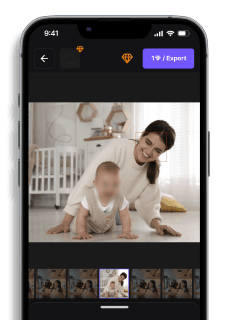
Upload your video to blur.me's browser-based platform, where AI automatically detects all visible faces across every frame within 3 seconds for photos or 30 seconds for 5-minute videos. The motion-aware tracking engine follows moving subjects automatically without requiring manual keyframing, unlike Adobe Premiere Pro or Final Cut Pro which demand 15-20 minutes of frame-by-frame adjustment per person. Click any detected face to toggle blur on/off, allowing you to selectively unblur authorized individuals while protecting bystanders' privacy. Adjust blur intensity using the real-time preview slider, then export the anonymized video in the same format as your original file. For GDPR compliance workflows, blur.me applies irreversible Gaussian blur that permanently destroys original pixel data, ensuring anonymized footage cannot be de-identified even with advanced AI technology. This three-step process—upload, auto-detect, download—reduces anonymization workload by up to 95% compared to manual video editing software.
What industries need video anonymization most?
Law enforcement agencies processing body camera footage must anonymize bystanders and minors before public release under CCPA and state privacy laws, with some departments processing 10,000+ hours monthly. Healthcare facilities using CCTV in patient areas require HIPAA-compliant anonymization before sharing footage with insurance companies or legal teams, as biometric data including facial images qualifies as protected health information. Educational institutions recording classroom activities or campus surveillance need anonymization to comply with FERPA regulations protecting student privacy, especially when footage is used for AI training datasets or security audits. Transportation authorities managing traffic cameras and parking enforcement must blur faces and license plates in footage shared with third-party vendors or released via public records requests. Blur.me Enterprise serves these high-volume environments with real-time AI face anonymization that works across both cloud and on-premises deployments, reducing operator workload while maintaining audit trails for compliance documentation.
Faces or plates to blur in your video?
Drop a video or photo in your browser and the AI auto-blurs faces, license plates, and personal info in seconds.
Upload free