When it comes to working with images online, having a reliable image converter at your fingertips is a game-changer. Whether you need to change file formats for better compatibility, optimize for web usage, or convert to a specific format for a project, there are plenty of free tools out there. In this article, we'll check out the top 7 free image converters available in 2025 and examine their pros and cons. Let’s get started!
1. BlurMe — Best Free Online Image Converter (Fast, Simple, Multi-Format)
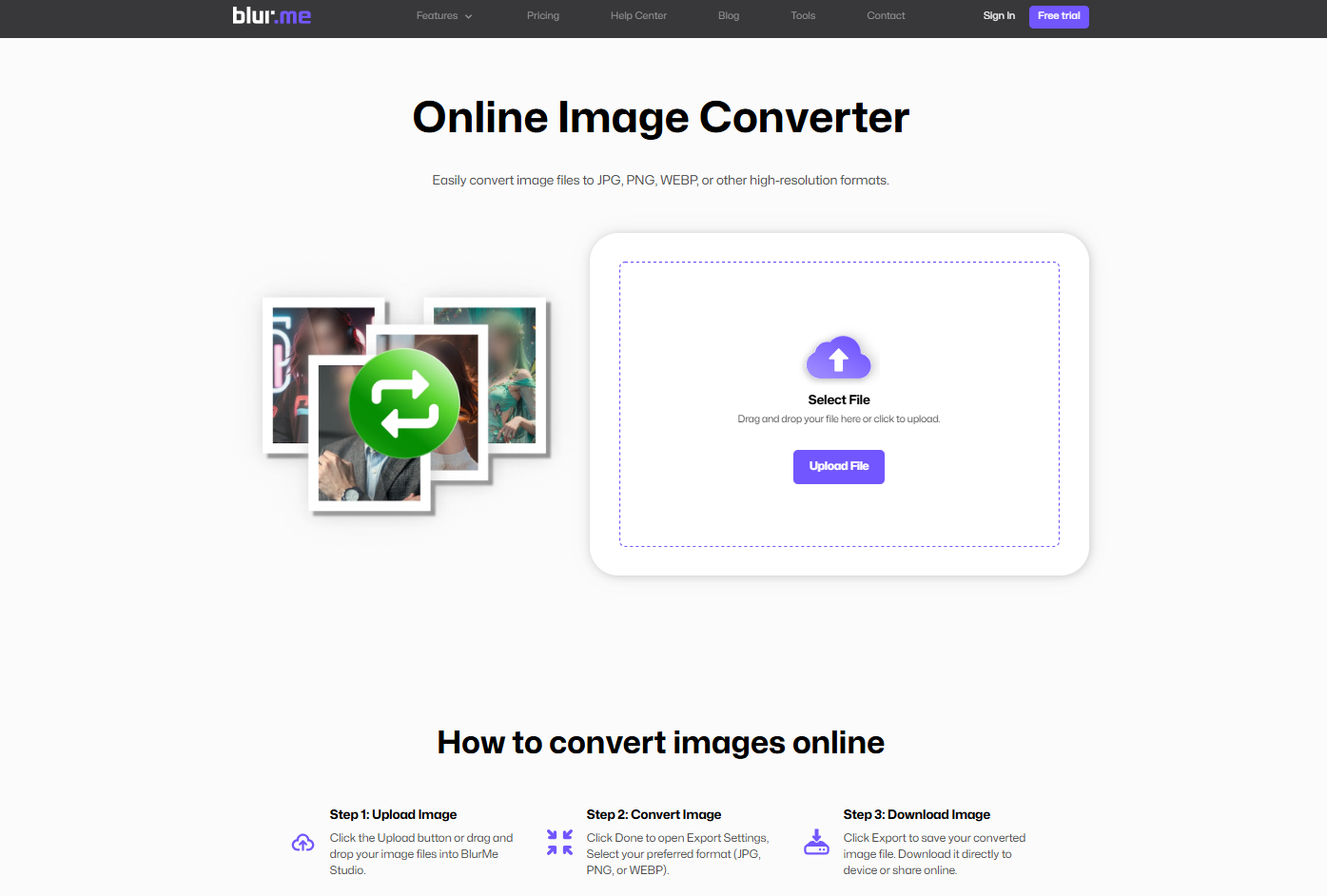
BlurMe takes the top spot because it isn’t just a single converter. It’s a full suite of free, browser-based tools that handle almost every major image format. The main Image Converter lets you switch between JPG, PNG, WEBP, HEIC and other popular formats instantly, but you can also use the more targeted converters when you need something specific.
Here are the main converters that users rely on most:
These specialized tool pages make BlurMe especially useful for creators, iPhone users, and anyone preparing files for the web. Everything runs online with no downloads, and the output quality stays crisp even after format changes.
If you want a fast, reliable, and completely free way to convert images across multiple formats, BlurMe is easily the most flexible option in this list.
2. Convertio

Convertio is a favorite for many thanks to its user-friendly interface and broad support for different file formats. Whether you're converting HEIC, JPG, PNG, TIFF, GIF, or any other format, Convertio handles it smoothly. You can upload files directly from your computer, cloud storage, or even drag-and-drop them. Plus, Convertio lets you convert files in bulk, saving you time.
Pros:
- Supports over 300 formats
- Easy to use
- Cloud-based
Cons:
- Free version has a file size limit (100MB)
3. Online-Convert

Online-Convert has been around for a while, and for good reason. It allows users to convert images, videos, audio files, and more. You can convert images into different formats or even tweak the file size and quality. The tool also offers advanced options for those who want to customize their conversions.
Pros:
- Wide format support
- Advanced options for customization
- No need to sign up
Cons:
- Ads may interrupt the user experience
4. ILoveIMG

ILoveIMG is perfect for users who need to convert, resize, compress, or edit their images in one go. It’s an all-in-one tool for basic image manipulation. The site is super easy to navigate, making it an ideal choice for beginners and experienced users alike.
Pros:
- Multiple tools in one
- Fast and easy to use
- No sign-up required
Cons:
- Limited to 15 files per batch for free users
5. CloudConvert

CloudConvert is a powerful tool that supports more than 200 formats. It allows for the conversion of images, documents, audio, and even videos. The best part? You can integrate it with cloud services like Google Drive and Dropbox, making file handling even easier.
Pros:
- Supports over 200 formats
- Cloud integration for easy access
- Quality preservation in conversions
Cons:
- 25 free conversions per day
6. JPEG-Optimizer

If you're specifically looking to optimize your JPG files, JPEG-Optimizer is the tool for the job. It not only converts images but also compresses them without sacrificing too much quality. Great for web design or anyone needing optimized images for faster load times.
Pros:
- Specializes in JPG optimization
- Easy to use
- No registration required
Cons:
- Limited to JPG format
7. Fotor

Fotor is a free online tool for image editing and converting. It offers features like cropping, rotating, and converting in addition to its full suite of editing tools. The platform is known for its beautiful templates and ease of use, making it ideal for anyone looking to quickly edit and convert images.
Pros:
- Comprehensive editing tools
- Great templates for design
- Easy conversion process
Cons:
- Some features require a premium plan
More Free Tools for Fast, High-Quality Image Conversion
If you’re comparing the best online image converters, it’s worth noting that BlurMe offers a full set of free conversion tools that cover almost every format you’ll come across. The main Image Converter handles quick one-step conversions between standard formats, but you can also use dedicated pages when you need more control. For example, iPhone users can switch their photos instantly using the HEIC Converter, HEIC to JPG, or HEIC to PNG tools. Web creators often rely on JPG to PNG, PNG to WEBP, and JPG to WEBP to prepare images for transparency or lightweight loading. And when you need to move away from next-gen formats, WEBP to JPG and WEBP to PNG provide simple fallback conversions.
These free converters work directly in your browser, making BlurMe a helpful addition to any list of reliable online image conversion tools.
Image Conversion and more
If you're looking to dive deeper into the world of image conversion or need guidance on how to edit your photos and images, BlurMe has you covered. Check out our comprehensive image conversion guide The Complete Guide to Image Conversion and step-by-step tutorials on how to add effects to images like blur images, pixelate images, and other privacy-focused edits to your content.
Ready to Try BlurMe’s Privacy Tools?
While these free image converters are fantastic for quick file format changes, there’s something to be said for tools that take your digital experience a step further, especially when privacy matters. BlurMe's Blur face tools offer simple, effective solutions for protecting sensitive information in photos and videos, with privacy features like automated face blurring and license plate masking. Anonymize your digital content easily with BlurMe.