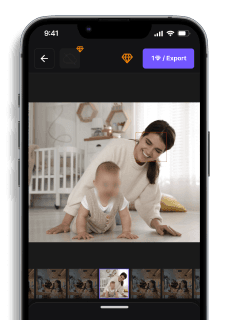
Free Blur Background Tool for Photos
Maya Chen — Tech Writer & Privacy Advocate Part of: Blur Photo Complete Guide: Methods, Tools & Best Practices (2026)Read the complete guide →
Sometimes a blurry background is all you need to turn an average photo into something striking. Whether you're aiming for a bokeh-style effect, hiding distractions, or focusing attention on a subject, a reliable blur background tool can make a huge difference. Learn how to easily blur background in any photo online with our free AI blur background tool.
Why Blur the Background of a Photo?
Blurring a photo’s background makes your subject stand out, cuts out distractions, and gives your image a clean, professional look. Portraits with a subtle blur effect or bokeh background are popular not just in photography, but also across social platforms, resumes, online stores, and even ID images.Creators looking to add a blurry aesthetic to pictures often want something fast, simple, and online. That’s where BlurMe’s photo background blur tool comes in.
Common Approaches to Blur Background Photos
You have three main paths to blur photo backgrounds: smartphone portrait mode, desktop photo editors, or AI-powered web tools. Each method fits different skill levels and scenarios.
Smartphone Portrait Mode (iPhone & Android)
Your phone's native camera creates background blur using depth sensors and computational photography. Portrait Mode on iPhone and Live Focus on Samsung Galaxy phones analyze the scene in real-time, keeping your subject sharp while softening everything behind them.
How to use it:
- Open your camera app and swipe to Portrait or Live Focus mode
- Position your subject 2-8 feet away from the camera — too close or too far breaks the depth detection
- Tap your subject on screen to lock focus
- Adjust the blur intensity slider (iPhone shows an f-number like f/2.8; lower numbers = stronger blur)
- Take the shot — the phone processes depth data and applies the bokeh effect automatically
Key limitation: Portrait mode works best on people and pets. Background blur on product shots or landscapes often fails because the AI expects a human face. You'll see jagged edges around complex shapes like hair or glasses, and the edge detection struggles with transparent objects like wine glasses.
Desktop Photo Editors (Photoshop, GIMP, Lightroom)
Desktop editors give you pixel-level control over blur intensity and focus area. Adobe Photoshop and GIMP (free alternative) use layer masks to separate subject from background, letting you apply Gaussian blur or lens blur filters with precision.
How to blur backgrounds in GIMP (free):
- Download GIMP from gimp.org and open your photo
- Select the Free Select Tool (lasso icon) and trace around your subject — click points along the outline, then press Enter to close the selection
- Go to Select > Invert to flip the selection from subject to background
- Click Filters > Blur > Gaussian Blur and set the radius (start with 15-25 pixels for a natural depth of field effect)
- Click OK, then Select > None to remove the selection outline
Key limitation: Manual selection takes 5-10 minutes per photo. If you need to blur backgrounds in 50 wedding photos, you're looking at 8+ hours of repetitive work. The blur tool requires steady hand coordination — one sloppy selection ruins the professional photos look.
AI-Powered Background Blur Tools
Web-based tools like Canva, remove.bg, and blur.me use deep learning to detect subjects and blur backgrounds automatically. Upload a photo, and AI handles subject isolation in seconds — no manual tracing required.
How to use Canva's background blur:
- Go to canva.com and create a free account
- Click Edit Photo and upload your image
- Select BG Remover in the left toolbar (free accounts get limited uses per month)
- Once the background is isolated, click Effects > Blur and drag the intensity slider
- Download the edited photo as JPG or PNG
Key limitation: Free tiers restrict monthly edits (Canva gives 10 background removals per month on the free plan). Complex backgrounds with similar colors to your subject confuse the AI — a person wearing a green shirt in a forest produces messy edges. You'll need manual blur touch-ups for professional results.
Batch Processing for Multiple Photos
If you're editing event photos or product catalogs, batch tools save hours. Adobe Lightroom lets you apply blur presets to 100+ photos at once, while PhotoDirector offers AI batch background blur on desktop and mobile.
Batch blur workflow in Lightroom:
- Import your photo set and select all images in the Library module
- Edit one photo's background using the Radial Filter or Brush Tool with negative sharpness
- Click Sync Settings and check only the blur adjustments
- Lightroom applies identical blur to all selected photos in under 30 seconds
Why this matters for privacy: Background blur isn't just aesthetic — it hides license plates in parking lot photos, removes identifiable street signs from real estate listings, and obscures bystanders in event photography. FERPA regulations require schools to protect student privacy in classroom photos, and background blur tools help educators comply without manual redaction.
The right method depends on volume and quality needs. Smartphone portrait mode works for casual Instagram posts. Desktop editing tools deliver publication-ready results for portfolios. AI web tools handle bulk jobs when you need 200 product photos blurred by tomorrow.
Blur Background Online in Seconds—No Downloads Required
Forget downloading heavy apps. BlurMe is a 100% browser-based blur background online tool that uses AI to automatically detect people or objects in your image and apply background blur. You can:Upload and blur PNG, JPG, or even HEIC files and moreApply different blur types: Gaussian blur or pixelationAdjust the intensity of the blur filterBlur everything you want by manually selecting areas using our Custom Blur ToolWhether you're editing from a PC or wondering how to blur a picture on iPhone, it works smoothly across devices.
Faces or plates to hide in your photo?
Upload and the AI blurs them automatically in seconds.
Best Blur Tool Alternatives to Blur Backgrounds
Tools like remove.bg, Pixelcut AI, and Magic Studio also offer background editing, but they often prioritize background removal. BlurMe keeps the background but enhances it with smart blur capabilities. And unlike Photoshop’s blur tool, which can be overwhelming, BlurMe is intuitive and free.Looking to remove distractions completely? You can also remove people from photos using our AI-powered editor or apply a face blur effect if privacy is a concern. BlurMe blur face tool offers a fast, AI-powered way to automatically detect and blur faces quickly.
Blur Backgrounds in Photos with the Best Blur Tool - BlurMe
Want to blur backgrounds for product shots, social content, or profile photos? Whether you’re after a bokeh effect, a gentle blur filter, or simply exploring how to blur background on photo for fun, our tool is ready.Ready to blur backgrounds? Try the free Blur Background Tool.Free to start### Faces or plates to hide in your photo?Drop a photo or video in your browser and the AI auto-blurs faces, license plates, and personal info in seconds.Upload free
Faces or plates to hide in your photo?
Drop a photo or video in your browser and the AI auto-blurs faces, license plates, and personal info in seconds.
Upload free