Remove People from Video Online for Free with AI
Maya Chen — Tech Writer & Privacy Advocate Part of: Blur Video Complete Guide: Tools, Methods & Best Practices (2026)Read the complete guide →
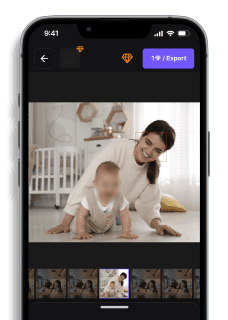
Thanks to AI-powered video editing tools, removing people from a video is fast, easy, and affordable. In this article, we'll guide you through the best methods to remove people from your video online for free. Whether you're using a desktop or mobile, you’ll learn how to remove people, blur faces, and even manage multiple subjects in just a few simple steps.
Why Remove People from Your Video?
There are several reasons you might want to remove people from a video. Here are some common scenarios where removing or blurring people is useful:
- Privacy & Anonymity: Keep sensitive individuals anonymous by blurring their faces or removing them entirely.
- Professional Content: Clean up footage by eliminating unwanted distractions or backgrounds featuring people.
- Creative Control: Give yourself complete flexibility to focus on the key elements of your video, free from interruptions caused by people or crowds.
Best Methods to Remove People from a Video
1. Use AI Blurring Software for Quick and Accurate Results
AI-powered blurring software like BlurMe is one of the easiest and most effective ways to remove people from video online for free. It works by automatically detecting and blurring unwanted faces, people, or specific sections of a video without compromising the video’s integrity.
How to Remove People:
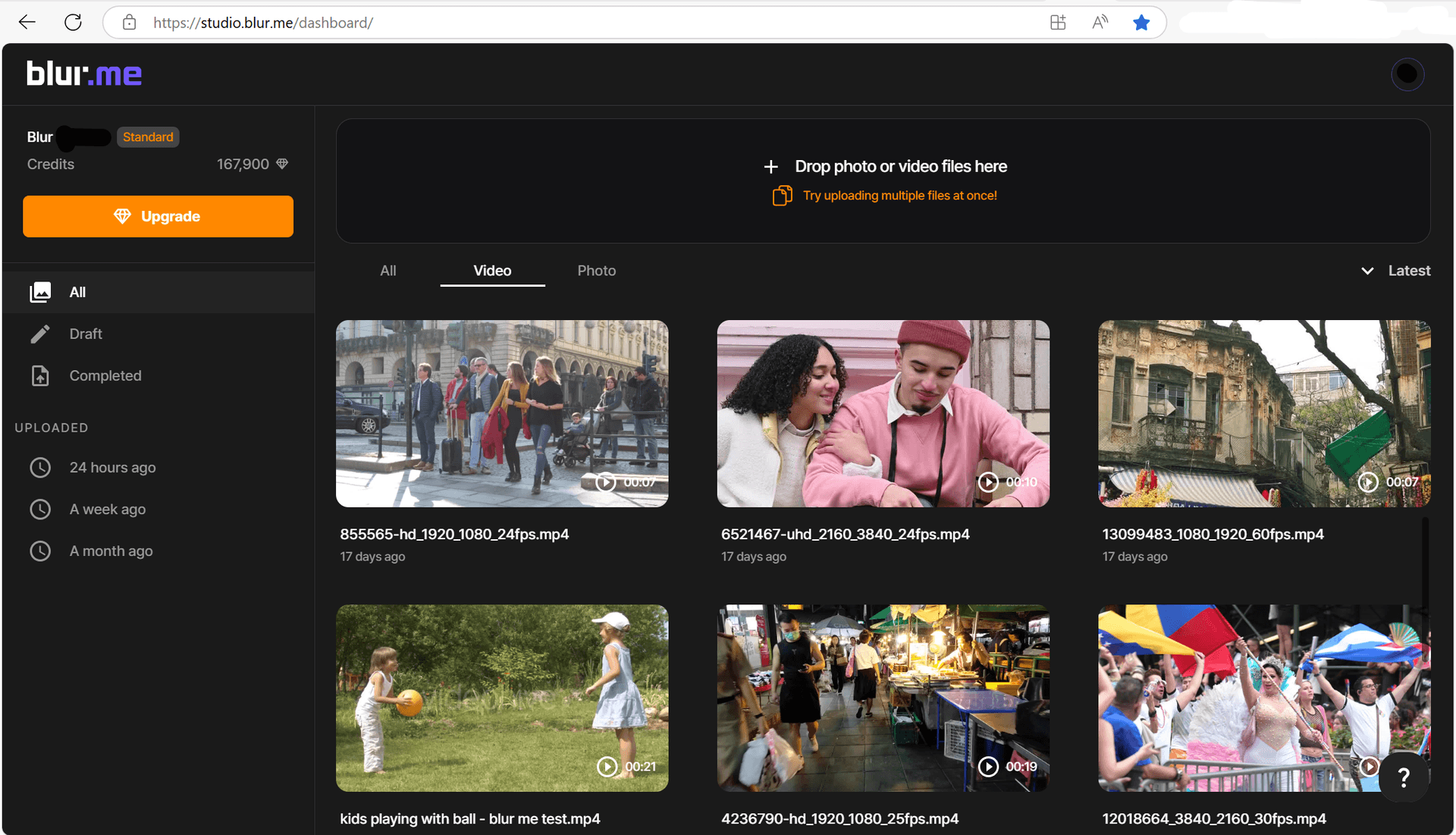
- Upload Your Video: Visit BlurMe's online video editor, select the video file you want to edit.
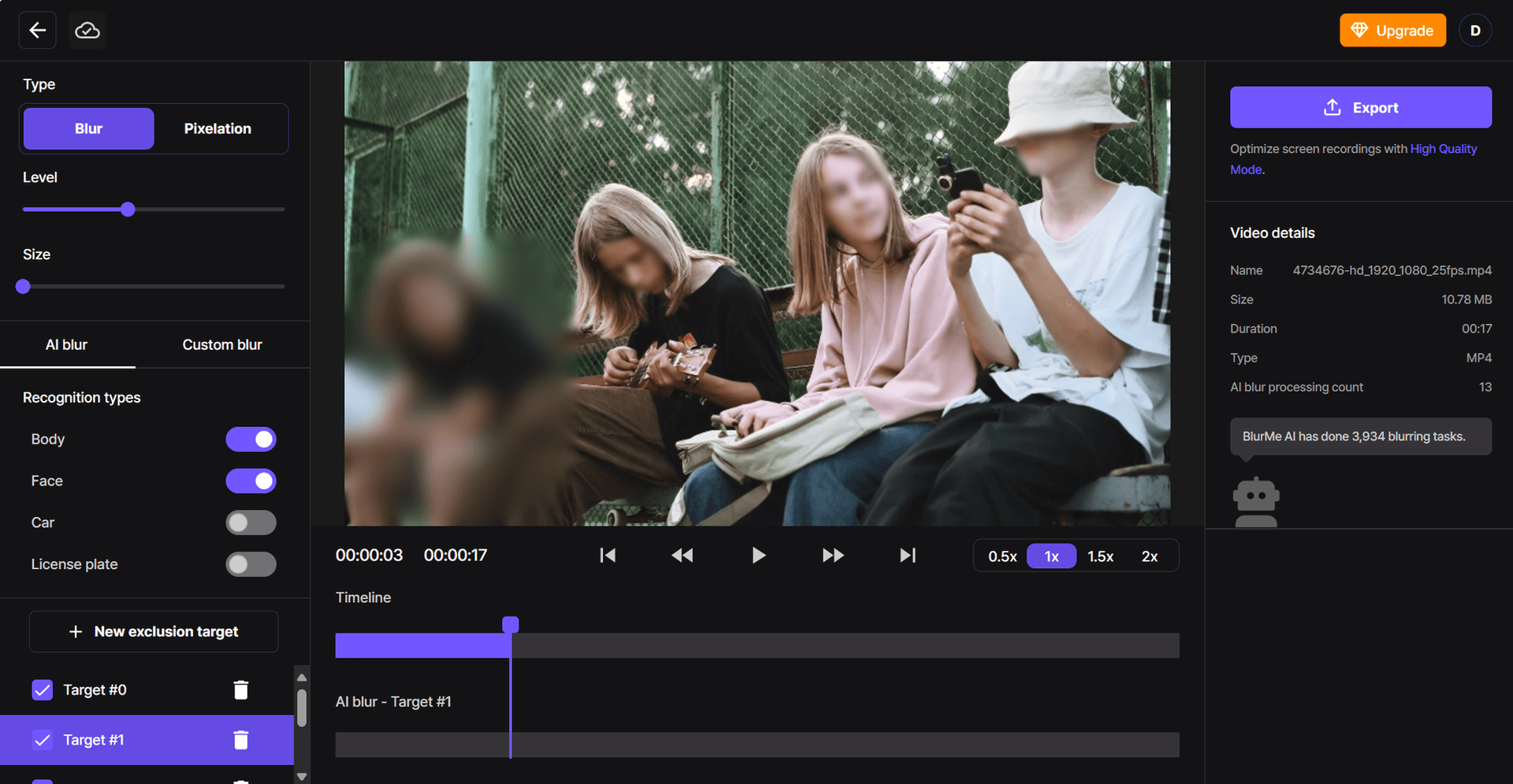
- Select Areas to Blur: You can blur whole bodies or faces in your video. The AI will automatically track and keep them blurred.
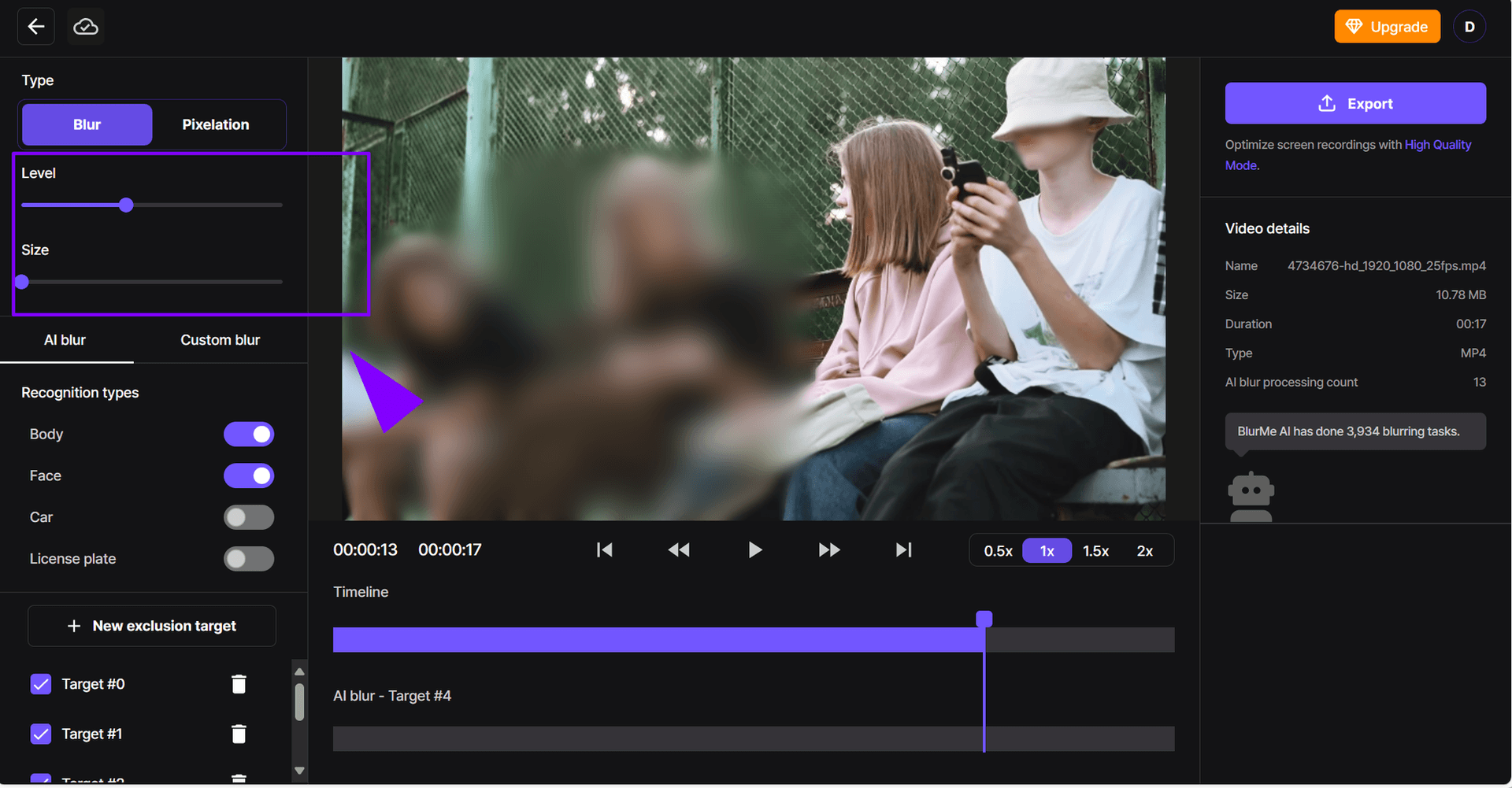
- Adjust the Blur: Fine-tune the intensity of the blur effect to ensure it completely covers the person or object.
- Download the Video: After editing, download your video in high-quality HD, now free of unwanted people or distractions.
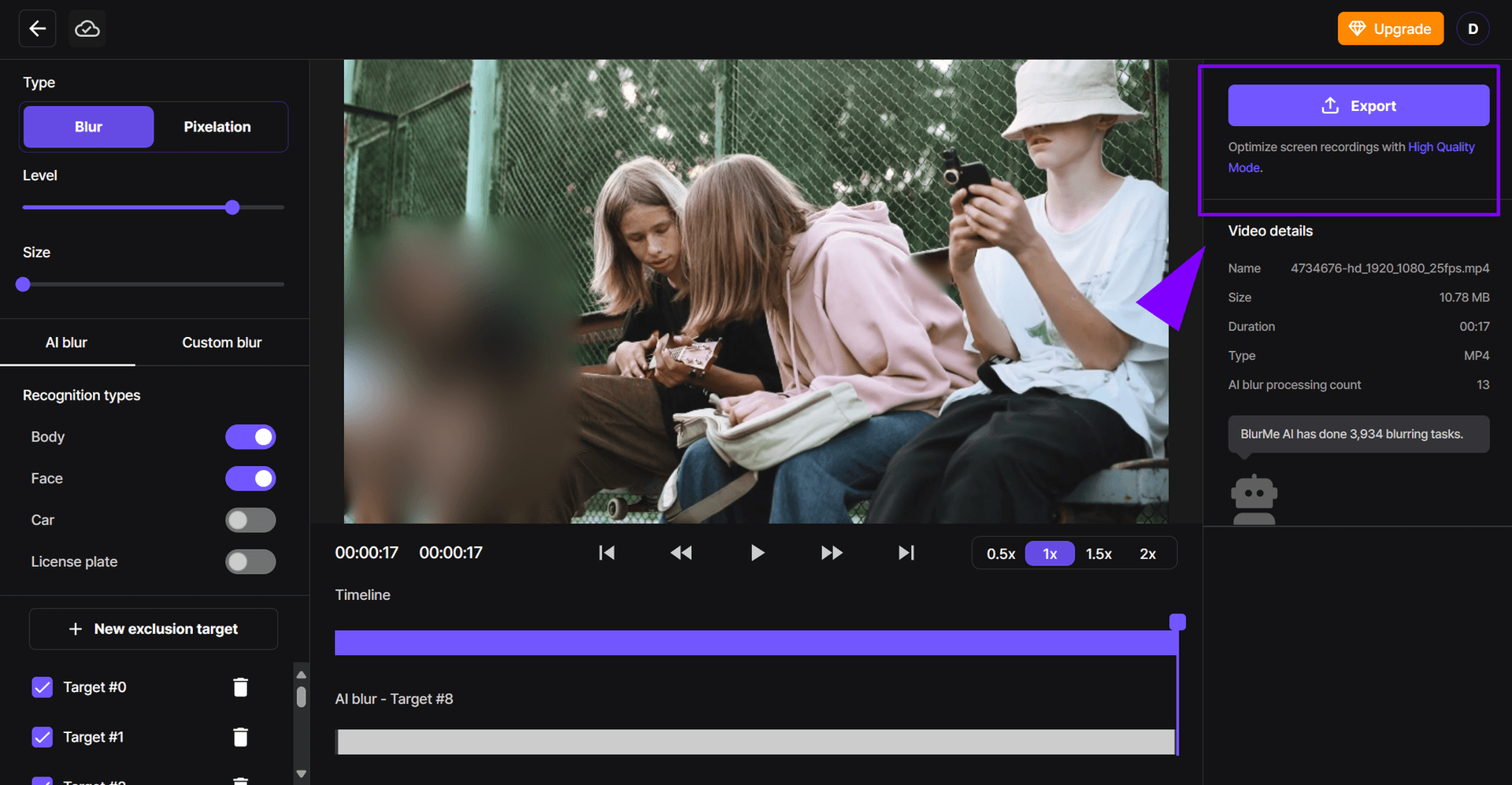
With BlurMe, you can easily blur multiple people at once, making it perfect for videos that feature crowds or groups. Read Blur Video to get a detailed step-by-step guide to using BlurMe.
2. Use a Free Online Video Editor to Remove People
If you prefer a more hands-on approach to editing, there are several free online video editors available that allow you to remove people from your video. These editors offer various tools to cut, crop, and blur unwanted people from your footage.
How to Remove People with Online Editors:
- Choose Your Tool: Platforms like Kapwing, HitFilm Express, and WeVideo allow you to upload videos and manually remove people.
- Mask the People or Faces: Use the clone tool to remove them by filling the area with surrounding pixels. BlurMe blur face tool offers a simple, AI-powered way to automatically detect and blur faces quickly
- Download Your Edited Video: Once you're satisfied with the result, export your video in HD quality, free of unwanted distractions.
While these tools are a great choice, be mindful that some free versions may come with limitations, such as watermarks or reduced resolution. Remove watermarks online easily in that case.
3. Remove People by Blurring the Background
Another option for removing people from a video is to blur the background, keeping the subject in focus while hiding everything else. This is ideal if you want to remove distractions from the scene or focus on specific areas.
How to Blur People with Background Removal:
- Upload Your Video: Select the video to be edited.
- Apply Background Blur: Using AI tools, blur the background while keeping the main subject clear. This effectively removes people from the background while keeping the scene intact.
- Preview and Adjust: Ensure that the blur effect works well with the rest of the video and that it doesn’t disrupt the main content.
- Export the Final Video: After making any adjustments, export your video in high-definition quality.
BlurMe’s AI-powered background removal and face blurring tools work seamlessly to remove unwanted people from the background, making it a solid choice for any type of video editing.
4. Blur Faces and Multiple People Easily
In some cases, you might only need to blur faces instead of removing entire people. BlurMe also offers an AI feature to automatically detect faces and blur them individually, making it a top choice for privacy-conscious content creators. Whether you're removing faces in a crowd or blurring logos and objects, this tool is designed for simplicity.
How to Blur Multiple Faces:
- Upload Your Video: Choose the file containing the faces you want to blur.
- Select Faces to Blur: The AI detects all faces automatically, but you can also manually select areas to blur.
- Adjust Blur Intensity: Make sure that the blur is strong enough to obscure the face, while ensuring the video quality remains intact.
- Download Your Cleaned Video: Once everything looks perfect, download your video with all faces censored.
This method works wonders for privacy protection, ensuring you can share your video without exposing identities.
Best Practices for Removing People from Videos
To get the best results when you remove people from video content, keep these tips in mind:
1. Use High-Quality Footage
The clearer your video, the more accurately AI tools can detect and remove or blur people. Avoid low-resolution clips when possible.
2. Blur Instead of Crop
Instead of cropping out an entire section, use AI blurring software to selectively blur people or faces. This keeps your frame intact and looks more professional. Tools like the Best App to Blur Faces are perfect for this.
4. Blur Multiple People at Once
Choose AI tools that let you blur multiple faces or bodies at once—like BlurMe’s Blur faces in 4 easy steps—especially for crowded scenes.
5. Preview Before Exporting
Always preview your edit before exporting. This helps catch missed faces or people and lets you adjust the blur intensity or area.
Faces or plates to blur in your video?
Upload and the AI blurs them automatically in seconds.
Why Choose BlurMe for Removing People from Videos?
When it comes to removing people from videos, BlurMe offers several benefits that other tools lack. It’s not only easy to use but also incredibly powerful. With its AI-driven technology, it helps you remove people and blur faces in videos, providing a streamlined experience. Plus, BlurMe can remove text from videos, blur logos easily online, and even pixelate videos for added privacy.
Sign up today and discover how easy it is to remove unwanted people from your videos with AI!
More Ways to Protect Privacy in Your Videos
If you’re working on removing people from a video, chances are you may also need other privacy-focused edits. BlurMe offers several online tools that help you handle sensitive visuals without downloading any software.
For example, if your goal is simply to hide someone instead of removing them entirely, you can use the Blur Video tool to quickly obscure faces, objects, or full scenes. And if you need more precision, BlurMe also has a dedicated Blur Face in Video feature that automatically detects multiple faces so you can blur specific individuals with a single click.
Creators who prefer a blocky, mosaic-style effect can switch to the Pixelate Video tool, which is perfect for content that needs stronger anonymity or a stylized censorship look. You can also soften only the surroundings instead of the subject using the Blur Video Background tool — helpful when you want to keep the main person clear while hiding everything behind them.
For teams handling sensitive footage, BlurMe’s AI Redaction Software provides advanced automation to redact faces, screens, license plates, and other private details across long videos.
These tools work entirely online and complement any workflow where privacy, confidentiality, or audience-safe content is essential.
Conclusion
Whether you're trying to protect privacy, improve video quality, or simply remove people from a shot, the right tools make all the difference. From AI-powered solutions like BlurMe to free online editors, these methods help you remove people from video and achieve professional results without the hassle.
Know that you know several of the best methods to remove people from your videos, choose the method that fits your needs and start editing today!
Faces or plates to blur in your video?
Drop a video or photo in your browser and the AI auto-blurs faces, license plates, and personal info in seconds.
Upload free