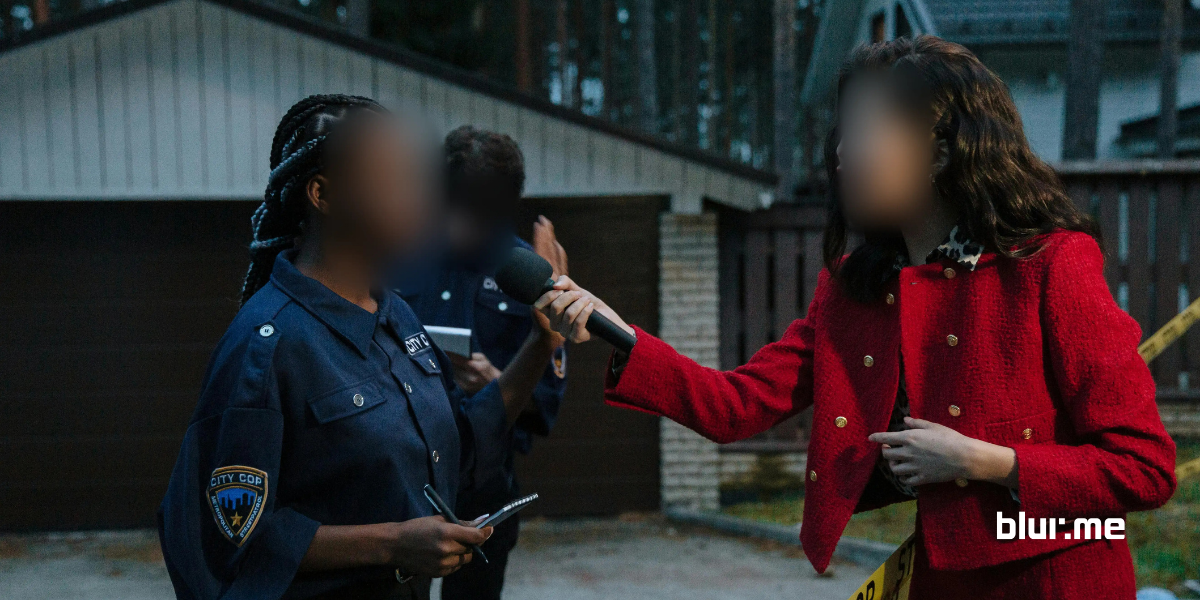
Blurring and pixelating faces are two of the most effective ways to anonymize photos and protect digital privacy online. While blur effects soften facial features, pixelation hides identity by replacing fine details with large, visible squares for a clear mosaic-style result.
Today, it’s easier than ever to pixelate image areas directly in your browser using simple online tools, no editing experience required. This guide shows you how to pixelate images for face anonymization quickly and effortlessly, using methods that don’t require downloads or complex software.
What is Face Pixelation?
Face pixelation is a digital editing technique used to obscure facial details by covering the face area with large, blocky pixels. Unlike blurring, which gently reduces sharpness, pixelation creates a strong mosaic effect that makes it extremely difficult to recognize a person. Because of this, it’s commonly used in situations where privacy is a priority.
This method is especially useful for:
- Journalists who need to protect the identity of sources
- Organizations handling photos under privacy compliance rules
- Teachers and educators sharing children photos on social media.

Benefits of Pixelating Faces for Anonymization
- Privacy Compliance: Blurring faces helps comply with data privacy regulations like GDPR, CCPA, or PIPA.
- Protection Against Abuse and Misuse: It also helps to prevent misuse of sensitive images where individuals are identifiable.
- Quick and Effective: Compared to advanced editing tools, pixelation is exceptionally simple and fast to apply.
- Preservation of Visual Context: While the face is blurred, the overall content of the photo remains still clear.
How to Pixelate Faces Easily Online
Pixelating faces has never been easier than with BlurMe Pixelate Image, an AI video and photo blurring tool specializing in privacy protection.
- Upload Your Image: Go to the BlurMe online pixelation studio and upload the image of the faces you want to anonymize.
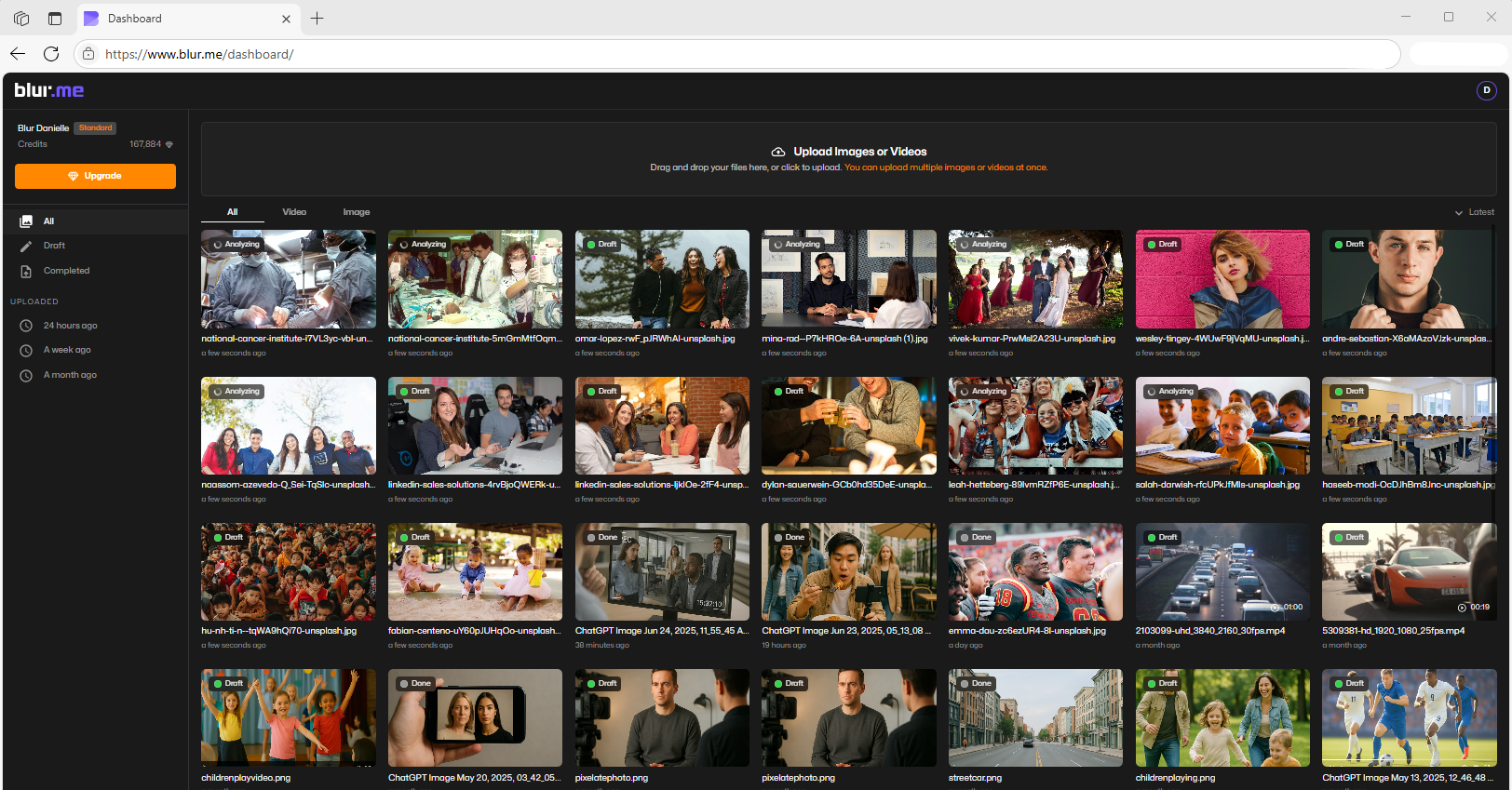
- Pixelate the Image using AI: BlurMe’s advanced AI will automatically detect the faces in your image. From the menu, select the Pixelate option.
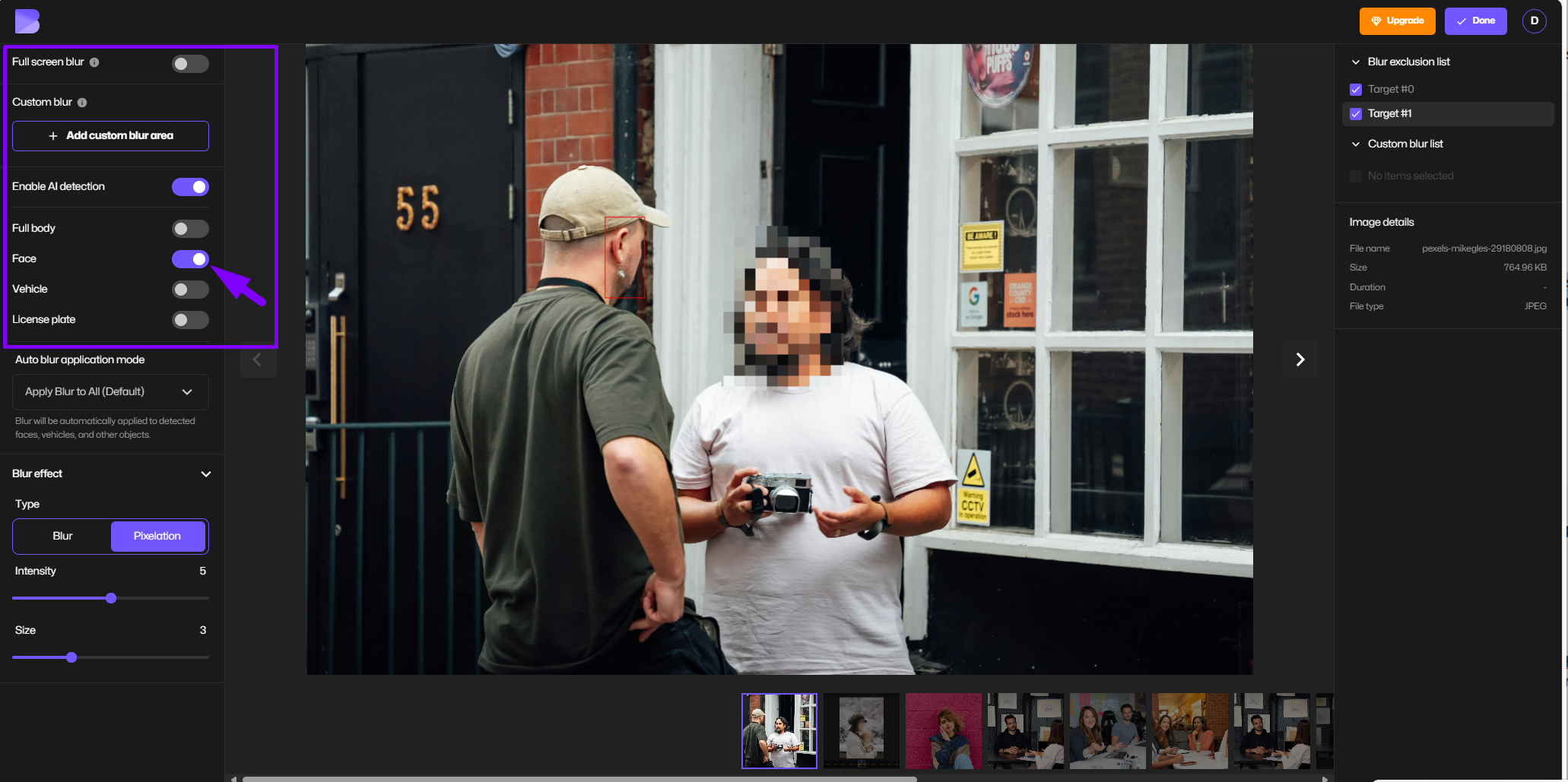
- Adjust Pixelation Intensity: Use the slider to increase or decrease the size of the pixel blocks for your desired intensity.
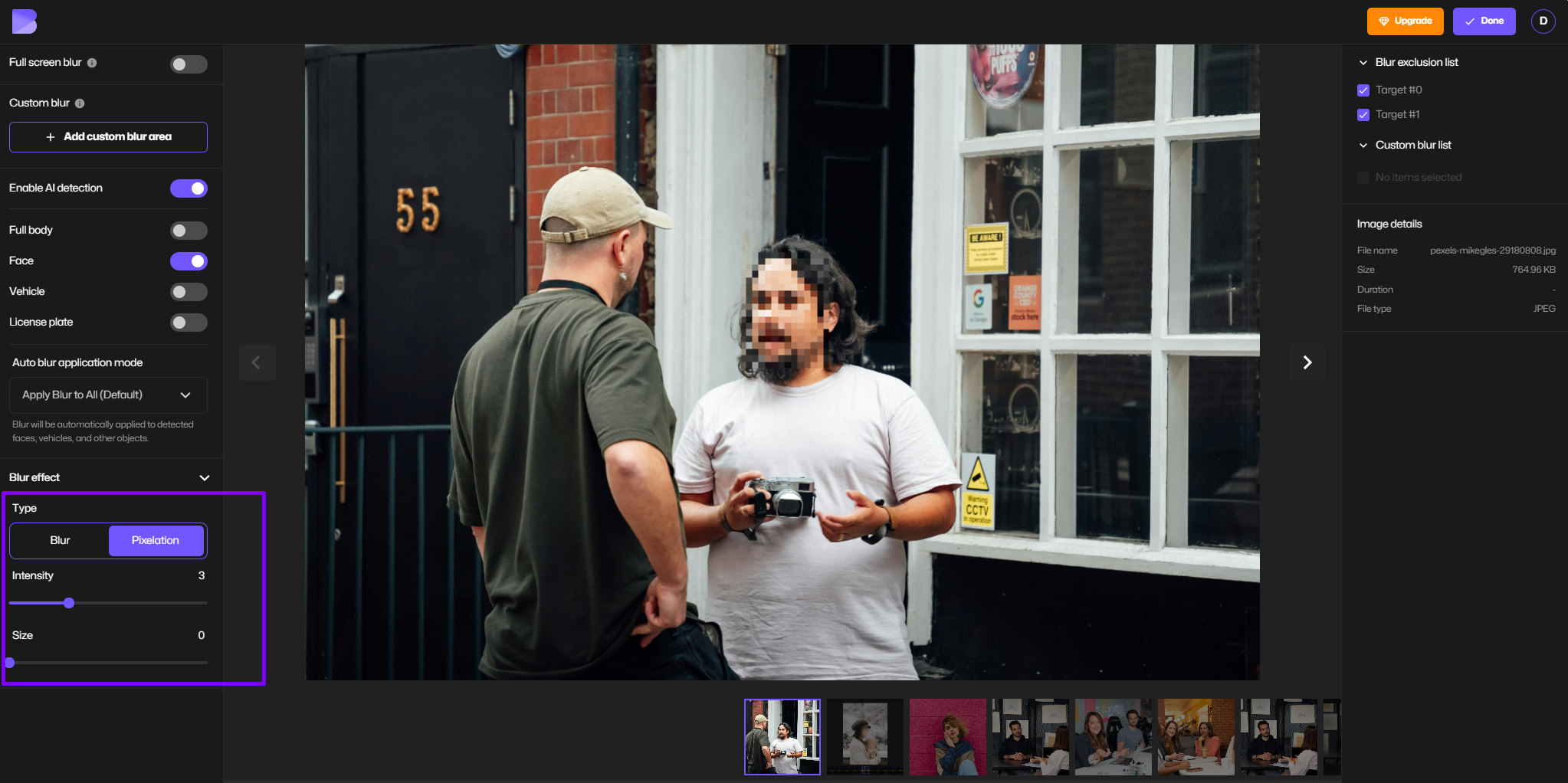
- Preview and Download: Preview the pixelated images of your faces that are now fully anonymized and Export.
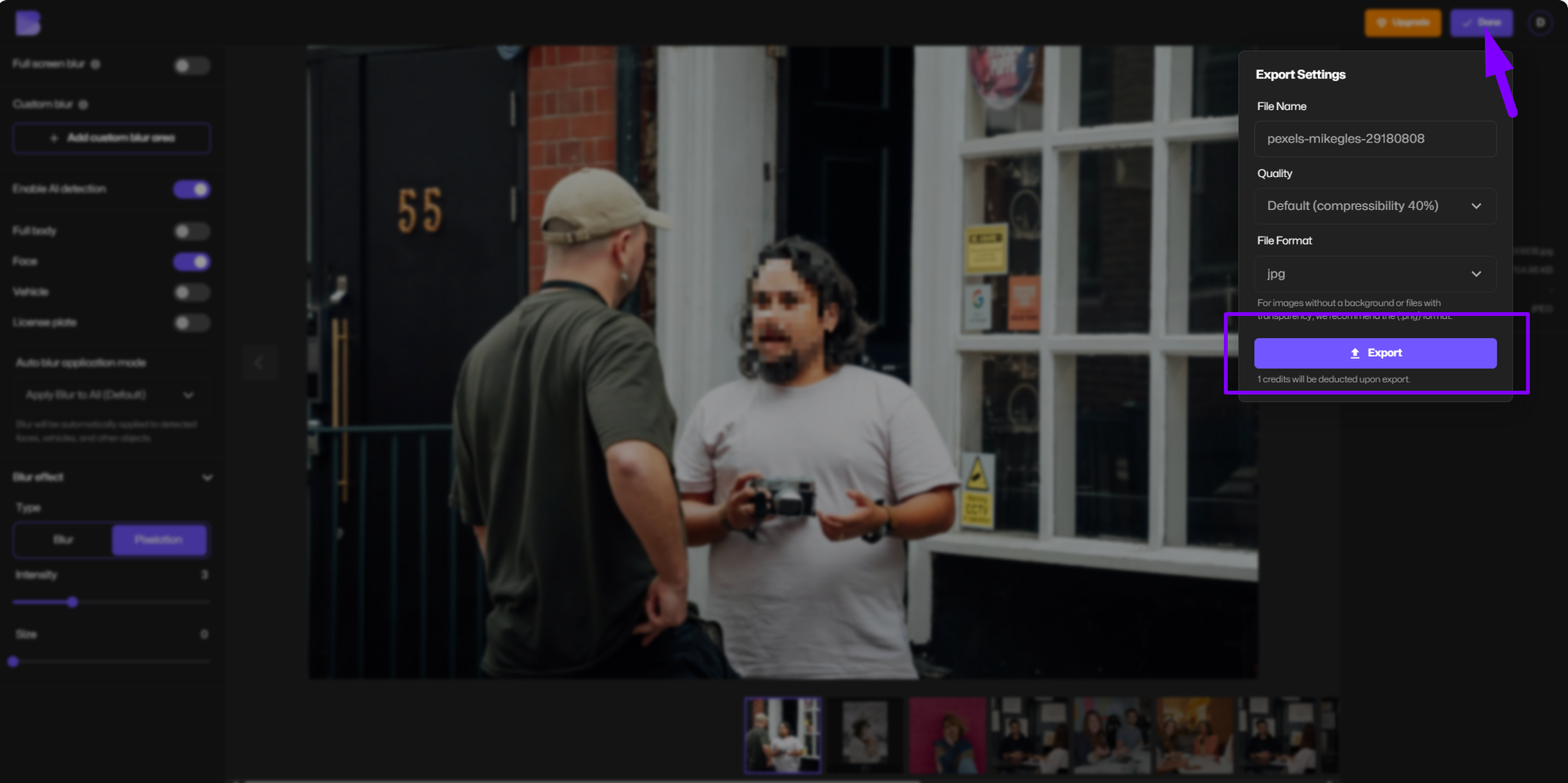
When privacy is a priority, using a tool built to pixelate image areas makes it easier to fully obscure identities while keeping the rest of the photo clear. If you are interested in learning more advanced techniques, visit How to Pixelate an Image.
When to Use Face Pixelation Over Blurring?

While both pixelation and blurring are great solutions for face anonymization, there are specific cases where one is a better choice than the other:
- Whistleblower Documentary: Pixelation stands out visually in a dramatic way that shows anonymization is the intent.
- Surveillance Footage: Blurring is more conducive to clear privacy compliance without compromising the footage.
Best Practices for Pixelating Images
For proper face anonymization, follow these tips and suggestions:
- Use Consistent Pixelation Levels: Try to be consistent and avoid inconsistencies that might leave some parts of the face exposed.
- Verify All Faces Are Detected: Double-check for smaller or partially hidden faces in group photos.
- Test Image Clarity: It does not hurt to try to ensure the pixelation doesn’t impact the overall message of the image.
- Combine Pixelation with Other Tools: If necessary, use additional anonymization services like license plate blurring.
Why BlurMe is the Best Tool to Pixelate Faces
BlurMe sets itself apart from other image editing platforms with its specialized focus on privacy and user-friendly AI tools. Key features include:
- Automatic Detection: No manual selection required—BlurMe’s AI identifies all faces instantly.
- Adjustable Pixelation: Control pixel size for maximum anonymity.
- High-Speed Processing: Anonymize multiple faces in seconds.
- Versatility: Perfect to blur faces in photos, blur videos, and live anonymization.

Why Trust BlurMe for Face Anonymization
Expertise in AI Privacy Editing
BlurMe specializes in AI-powered tools that automatically blur and pixelate faces, people, and sensitive objects in photos and videos. Designed for creators, educators, journalists, and organizations, our technology simplifies privacy editing so anyone can anonymize visuals accurately in seconds.
Experience Across Real Use Cases
From content creators protecting guest appearances to law enforcement redacting evidence, BlurMe’s AI has been tested across thousands of scenarios. Our online editor runs directly in your browser, meaning your files remain private and secure throughout the process.
Authority and Transparency
BlurMe follows global privacy and data protection standards including GDPR compliance and ethical anonymization practices. We continuously update our tutorials and AI models to reflect the newest methods in visual privacy, ensuring our readers and users always have access to accurate, trustworthy information.
Trust Through Real Results
Every guide on our blog is tested using BlurMe Studio, ensuring all methods are verified and reproducible. Our commitment to transparency and expertise makes BlurMe one of the most trusted online editors for face blurring and pixelation in 2025.
Final Words: Pixelate Faces and Anonymize Images with BlurMe
Pixelating images for face anonymization is a fast and effective way to protect identities while also maintaining compliance with different privacy laws around the world. Image pixelation tools like BlurMe make the process easy with AI automation.
Sign up for free and start pixelating faces with BlurMe’s easy-to-use media privacy tools.
Frequently Asked Questions (FAQs)
Q: Is pixelating faces better than blurring?
A: Pixelation creates a noticeable effect, which is almost a signal declaring ‘anonymity’. Blurring creates a softer look but may be less distinct. You can always compare by checking out how you can blur photo and how you can blur pictures guides online.
Q: Can BlurMe pixelate faces in videos as well?
A: Yes! BlurMe’s tools support both photo and video anonymization with even automatic face detection. Pixelate videos easily using our Pixelate Video tool.
Q: Is pixelation GDPR compliant?
A: Yes, pixelation is an effective method to anonymize identifiable individuals in media. This supports GDPR compliance.