Blur Face for OnlyFans - Easy, Fast, Online
Maya Chen — Tech Writer & Privacy Advocate Part of: Blur Photo Complete Guide: Methods, Tools & Best Practices (2026)Read the complete guide →
Running an OnlyFans account but want to keep your identity private? Whether you're a faceless creator, looking to hide your guest models, or just want to blur your background for a clean aesthetic, there's an easy way to do it, without complicated editing software.
With BlurMe's Face Blur, you can automatically blur faces in videos, pixelate features, and censor backgrounds, all without downloading an app. This means zero hassle, instant results, and complete control over your privacy.
Let’s dive into how to blur your face for OnlyFans easily and quickly using BlurMe.
Why Blur Your Face on OnlyFans?
- Stay Anonymous – Protect your identity while sharing OnlyFans content.
- Faceless Creator Strategy – Many top creators make money without showing their face.
- Guest Model Privacy – Blur others in your videos for discretion and consent.
- Blur Backgrounds – Keep the focus on you and hide distractions in your setting.
The key is using a smart, AI-driven tool that does the work for you. That’s where BlurMe comes in.
How to Blur Your Face for OnlyFans
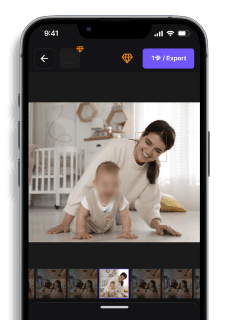
BlurMe runs entirely in your browser, so there's nothing to install, and it works on your phone too. Upload a clip or photo, let the AI find the faces, then decide what stays visible.
Step 1: Upload your video or photo
Open BlurMe Studio and upload your file. Videos go in as MP4 (and other common formats) up to 5GB. Photos work as JPG or PNG. The export keeps the same format you uploaded.
Step 2: Let Auto Blur find the faces
Auto Blur detects faces, people, cars, license plates and text, and tracks faces across every frame. No keyframing needed, even when you or a guest model moves around. To keep someone visible, click their face to unblur it.
Step 3: Cover what the AI didn't catch
A tattoo, a mirror reflection or a mail label won't always be detected. Draw a rectangle, ellipse or polygon over it with Manual Blur. In videos, Auto Track follows the area across frames (tracking guide). For your surroundings, Background Blur keeps you sharp and hides the room (video background blur).
Step 4: Pick an effect and export
Choose Blur, Mosaic or Color separately for each target. Then download your file. The final output is irreversibly blurred, so the original pixel data is destroyed and can't be recovered.
Faceless OnlyFans? Here’s How to Make Money Without Showing Your Face
Not showing your face doesn’t mean you can’t be successful on OnlyFans. Many no-face creators earn big without revealing their identity.
- How to Make Money on OnlyFans Without Showing Your Face – Proven strategies for faceless creators.
- Faceless AI Tools – Unique content ideas that don’t require showing your face.
- Remove Text from Videos.
If you want a true anonymous OnlyFans, pairing these strategies with AI-powered face blurring is the best way to go.
Faces or plates to hide in your photo?
Upload and the AI blurs them automatically in seconds.
Blur Videos, Images & More – Fully Online
BlurMe isn’t just for faces, it’s a full privacy-focused tool for creators who want more control over their content.
- Blur multiple people in videos – Great for guest models.
- Pixelate images – Add a professional censorship effect.
- Blur backgrounds – Keep the focus on you, not your surroundings.
Easy, fast, and free – 100% online, free uploads, no hassle.
FAQs: Face Blurring for OnlyFans
1. Can I make money on OnlyFans without showing my face?
Absolutely! Many creators use face blurring, masks, or creative angles to maintain anonymity.
2. How do I blur faces in a video for OnlyFans?
Use BlurMe to instantly blur faces online—no software needed! You can even use it on mobile devices, for example: Blur Face on iPhone.
3. Can I blur guest models in my OnlyFans videos?
Yes! BlurMe lets you blur multiple people in a video while keeping yourself in focus.
4. How do I blur the background in my OnlyFans videos?
BlurMe allows you to blur backgrounds while keeping your subject clear—perfect for privacy or aesthetic reasons.
5. Is BlurMe free to use?
Yes! You can blur faces in videos online for free with BlurMe, with pro options for extra features.
Keep Your Identity Private & Content Secure
With BlurMe, you can blur your face, guest OnlyFans models, or background, all online, no downloads needed. Whether you're running a faceless OnlyFans account or just need to add privacy to your content, BlurMe makes it fast, easy, and professional.
Blur OnlyFans Videos with BlurMe Now – The Best Face Blurring Tool for OnlyFans!
Faces or plates to hide in your photo?
Drop a photo or video in your browser and the AI auto-blurs faces, license plates, and personal info in seconds.
Upload free