

Having control over what appears in your images is essential. Whether you’re a content creator refining your feed, a business polishing product photos, or someone simply tidying up personal memories, being able to clean up pictures and remove distractions can completely transform the final result.
Thanks to AI-powered cleanup tools, it’s now easier than ever to erase unwanted people, text, or background objects from photos.
Why You Need to Clean Up Pictures
There are plenty of reasons you might want to cleanup images before sharing them online:
- Protect privacy: Blur or remove personal details like faces, license plates, or addresses.
- Remove unwanted objects: Get rid of photobombers, logos, or distractions.
- Improve aesthetics: Create cleaner compositions by eliminating clutter.
- Comply with privacy laws: Businesses and organizations may need to anonymize sensitive data in images.
Whether you're editing for social media, work, or legal compliance, an image cleaner online can make the process seamless.
How to Cleanup Pictures Easily
There are multiple ways to clean up an image, depending on what you need to hide or remove.
1. Blur or Pixelate Sensitive Details
Blurring is one of the easiest ways to hide objects in a photo while maintaining the overall composition.
How to Blur or Pixelate an Image with BlurMe:
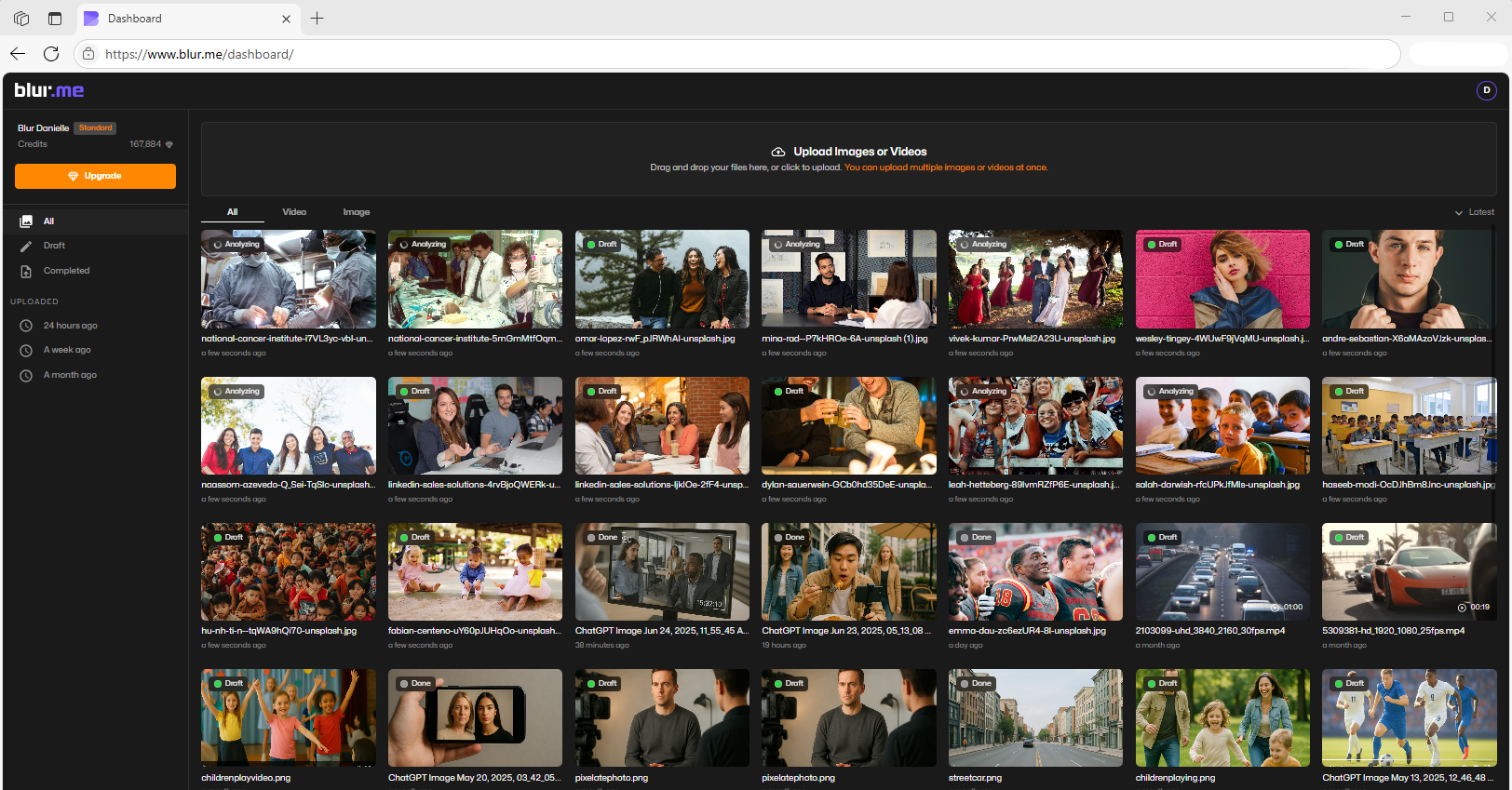
- Upload your image to BlurMe Online Editor.
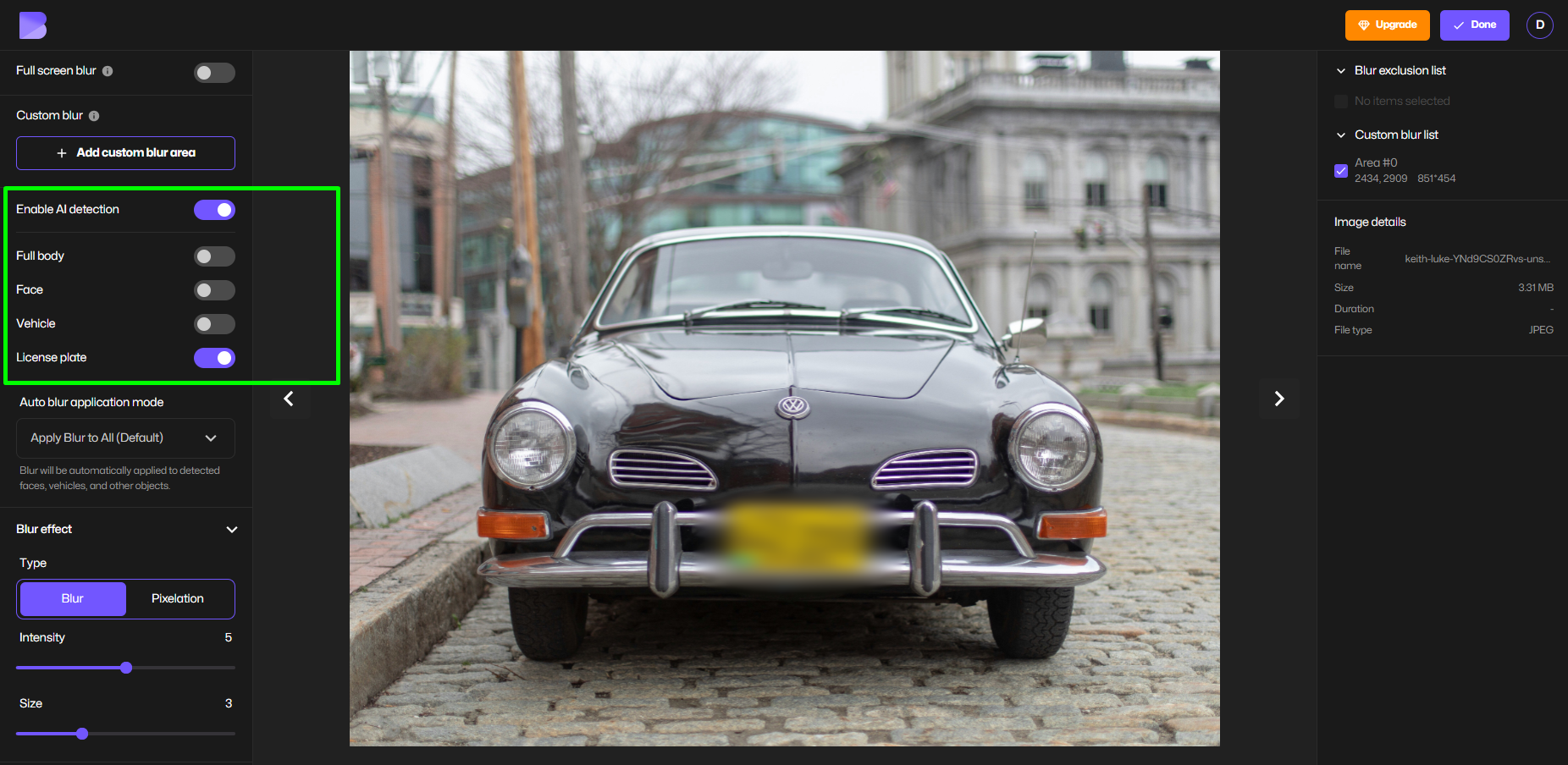
- Enable AI Blur or Pixelate. BlurMe automatically detects faces, people, or objects like license plates.
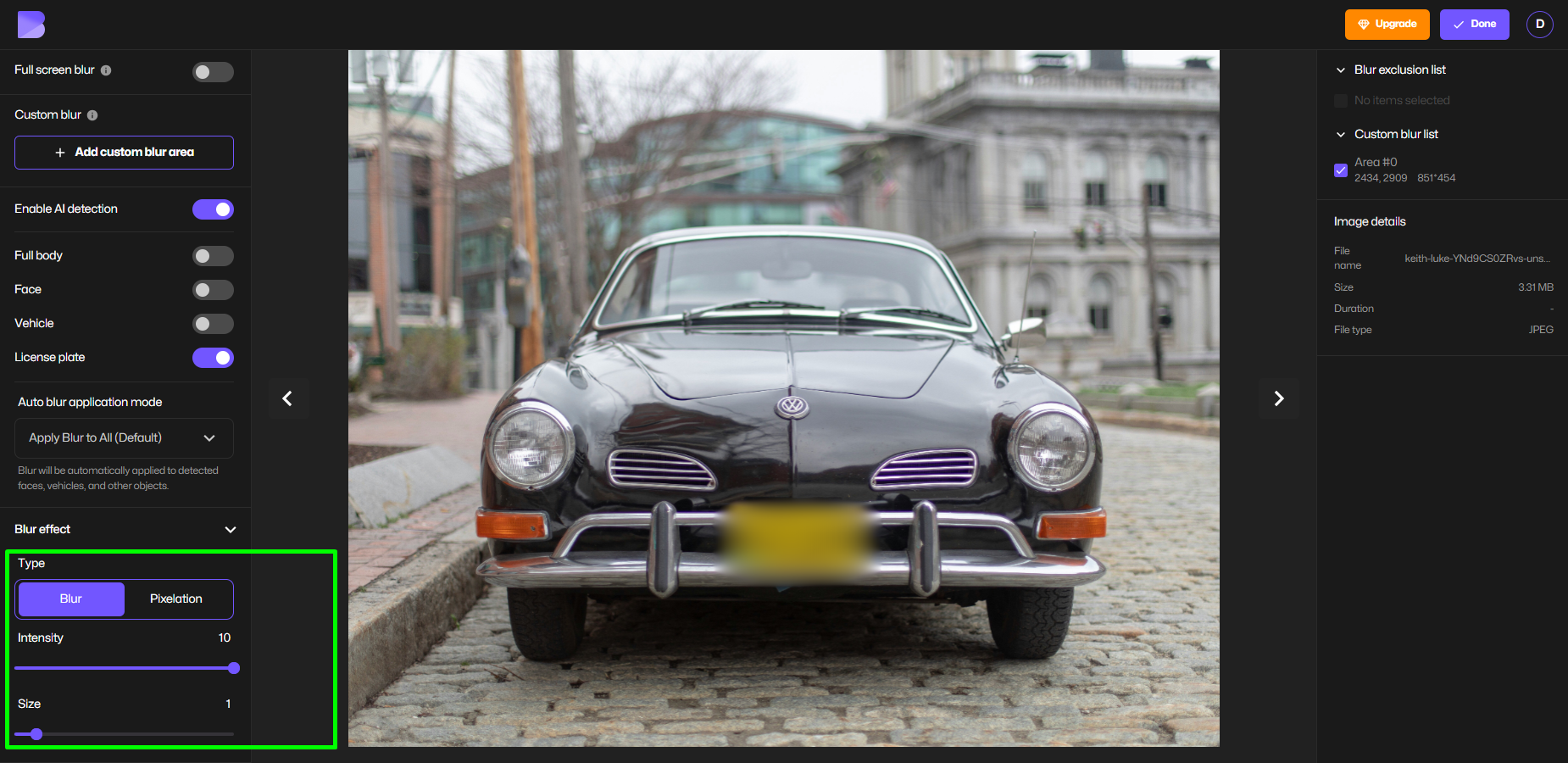
- Adjust the blur area or pixel size — you can fine-tune how much to hide or reveal.
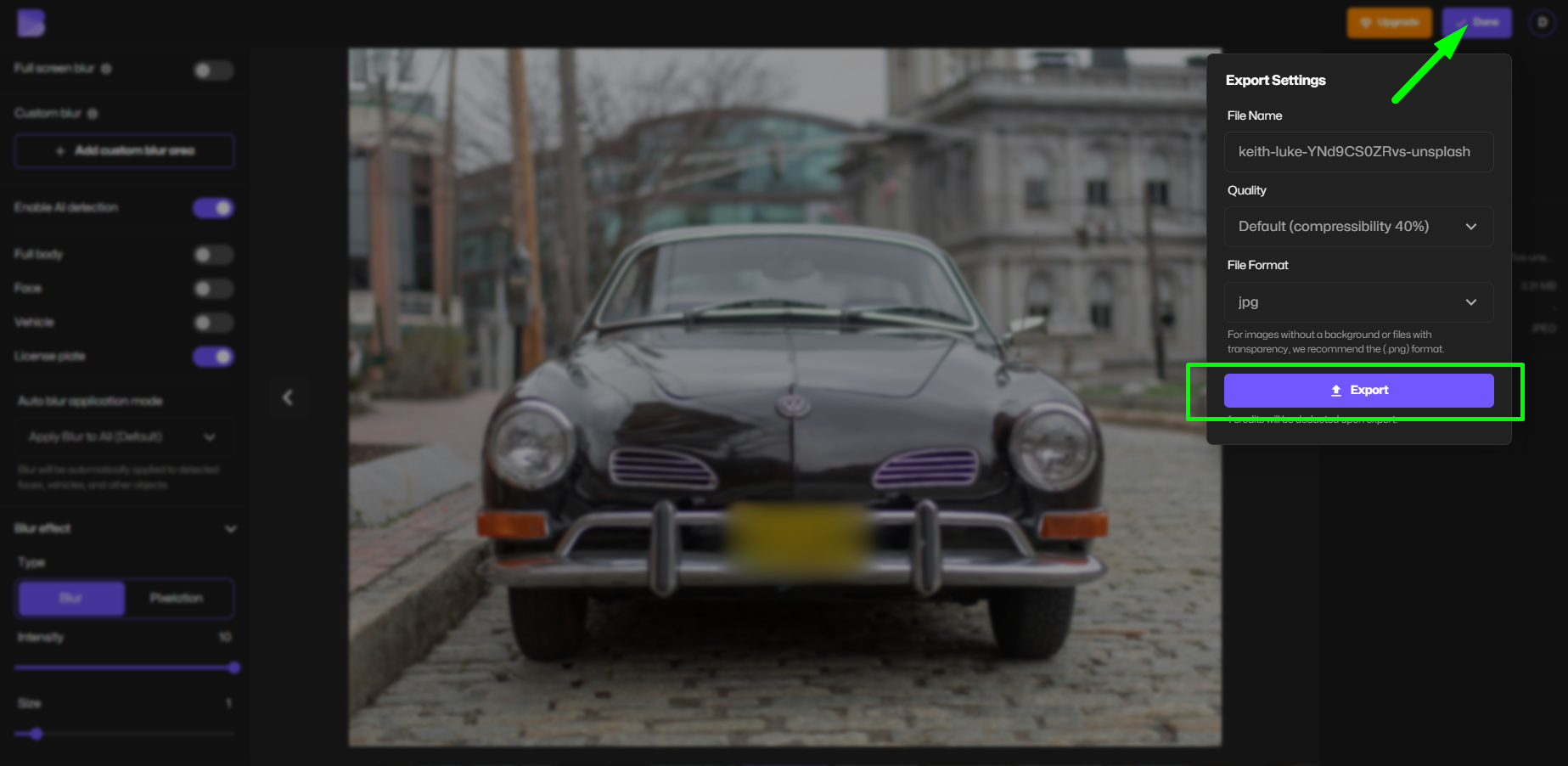
- Preview and download your edited image instantly.
If you need to anonymize people’s faces, blur text, or background details, blur photo tools come in handy. Learn more about how to pixelate an image. For high-quality edits, AI-powered solutions allow you to blur backgrounds and obscure details efficiently. Find out more in our guide on how to blur backgrounds.
2. Remove Objects from Images
If you want to completely erase something from a picture—whether it’s a watermark, person, or unwanted text—advanced image cleanup tools can help. With AI-based photo cleaner tools, you can seamlessly remove objects without affecting the image quality.
For those editing images on mobile, check out our guide on how to blur on iPhone.
3. Adjust Image Size Without Losing Quality
Once you clean up a picture, you might also need to optimize it for web use. Large images can slow down websites and affect SEO rankings. Reduce your image size in KB while maintaining quality using our step-by-step guide on reducing image size and resizing images to 20kb.
Best Tools for Image Cleanup
With AI-powered blur tools like BlurMe, cleaning up pictures is faster and more precise than ever. Whether you need to blur PNG files or completely remove unwanted elements, BlurMe provides an intuitive, automatic solution.
For those working with video content, our best AI video redaction software ensures your footage is compliant with privacy laws while maintaining clarity. And if you're looking for video editing alternatives, check out our comparison of the best CapCut alternatives.
The Rise of AI Cleanup and Why Accuracy Matters
AI image cleanup isn’t just about aesthetics, it’s about precision and trust. In digital media, every pixel matters, especially when visuals represent your brand, your content, or your story. That’s why professional creators and businesses are shifting to AI-based cleanup tools that use object detection and smart inpainting algorithms to deliver clean, natural-looking edits.
At BlurMe Face Blur, our cleanup engine is trained on thousands of real-world images to recognize common visual noise, like people in the background, reflections, or cluttered details. By using AI responsibly, BlurMe helps creators and professionals enhance images without distortion or loss of authenticity, aligning with ethical editing standards and modern digital best practices.
Start Cleaning Up Your Pictures Today
Whether you're looking to cleanup images, blur backgrounds, or remove unwanted elements, AI-powered tools make the process effortless. Try an image cleaner online to enhance your photos, protect privacy, and improve your visual content.
With the right tools, cleaning up pictures has never been easier!


