How to Make Money on OnlyFans Without Showing Your Face
Maya Chen — Tech Writer & Privacy Advocate Part of: Blur Video Complete Guide: Tools, Methods & Best Practices (2026)Read the complete guide →
How to Make Money on OnlyFans Without Showing Your Face
You can absolutely build a profitable OnlyFans without showing your face — thousands of creators earn $3,000+ monthly while staying completely anonymous. The challenge isn't whether faceless content works, it's protecting your identity while competing with full-face creators who dominate subscriber feeds. One slip — a reflection in a mirror, recognizable tattoo, or background detail — can expose you. The solution? Strategic niche selection, smart camera angles, and privacy-first workflows that let you monetize body-only content, POV angles, and creative framing without risking identity concealment. This guide covers the exact content categories, anonymity tips, and monetization strategies that faceless creators use to build sustainable income on OnlyFans.
Common Approaches to OnlyFans Without Showing Your Face
Running a successful faceless OnlyFans account requires strategic content planning. You're not just hiding your identity — you're building a brand around mystery, specific body features, or creative angles that keep subscribers engaged without ever revealing your face.
Body-Only Content and Niche Selection
Focus your content on specific body parts that align with subscriber demand. Feet content, hands, legs, torso shots, and fitness-focused physique content perform exceptionally well in anonymous content creation. Pick one primary niche rather than mixing multiple categories — specialized creators typically earn 40-60% more than generalists because they attract dedicated subscriber bases.
Research what's already successful on Instagram, Reddit, and Twitter before committing to a niche. Browse r/FeetPics or fitness hashtags to gauge demand. Your chosen niche determines your pricing strategy, content frequency, and marketing tactics. Foot content creators often charge $10-15/month with daily posts, while body art or tattoo-focused accounts command $20-30/month with 3-4 weekly updates.
The limitation: niche content requires consistency. Subscribers expect regular updates in your chosen category. If you post feet content one week and switch to cosplay the next, retention drops. Commit to one niche for at least 90 days before pivoting.
POV Angles and Creative Framing Techniques
Point-of-view shots and strategic camera angles let you create engaging content while keeping your face off-screen. Position your camera at chest level pointing down, use over-the-shoulder perspectives, or frame shots from behind. These angles work particularly well for lingerie content, workout videos, and daily life vlogs.
Free tool: Your smartphone's self-timer + tripod — Set your phone on a $15 tripod from Amazon, use the timer function (all phones have this built-in), and experiment with angles. Place the camera at waist height for upward body shots, or mount it behind you for over-the-shoulder POV. Take 20-30 test shots in different positions to find what works. Review each angle to ensure no mirrors, reflective surfaces, or identifying features appear in the background.
This approach requires more setup time than standard selfies. You'll spend 15-20 minutes positioning equipment for each 5-minute content session. Background control becomes critical — remove mail, diplomas, location-specific decor, or anything with your name before shooting.
Masks, Props, and Identity Concealment
Physical disguises add mystery while protecting privacy. Masquerade masks, bandanas, sunglasses, wigs, and creative makeup transform your appearance without digital editing. Cosplay content on OnlyFans generates strong subscriber engagement because it combines anonymity with fantasy roleplay.
Buy props from Amazon or local costume shops. Start with 3-4 different masks ($10-20 each) to vary your content. Pair masks with wigs in different colors — subscribers perceive each combination as fresh content. Add cat ears, bunny masks, or themed accessories that match your niche. Test each mask in natural lighting to ensure it fully covers identifying features like moles, scars, or unique facial structure.
The trade-off: masks can feel uncomfortable during longer shoots. Cheap masks fog up, slip during movement, or look obviously fake on camera. Budget $50-100 for quality props that photograph well and stay secure. Replace masks every 3-4 months as elastic wears out.
Voice Disguise and Audio Privacy Protection
Your voice identifies you as reliably as your face. If you include audio in videos, modify your voice or use music overlays. Free voice-changing apps like Voicemod (Windows/Mac) or Voice Changer Plus (iOS) alter pitch and tone in real-time. Alternatively, shoot silent content with text captions or use royalty-free music from YouTube Audio Library.
Open Voicemod, select a voice filter (chipmunk, robot, deeper pitch), and record directly through the app. Export the audio file and sync it with your video in any basic editing app. Test filters with 30-second clips before committing to full content — some filters sound unnatural or distorted. For music overlays, download 3-4 tracks from YouTube Audio Library, import them into your phone's video editor, and layer them over your original footage with the microphone audio muted.
Voice modification adds production time. Each video requires 5-10 minutes of audio editing. Subscribers sometimes complain that voice filters sound robotic or make content less intimate. Balance privacy protection with content quality — consider silent content with text overlays as a middle ground.
Marketing Without Revealing Identity on Social Media
Promote your OnlyFans on Reddit, Twitter, and TikTok without showing your face. Create themed accounts that match your niche — post teaser content (body shots, props, niche-specific photos) with your OnlyFans link in bio. Use Linktree to aggregate all your social profiles and payment links in one URL.
Build a Reddit presence by posting in niche subreddits (r/FeetPics, r/Lingerie, r/PetiteGoneWild depending on your content). Comment on other posts, engage with communities, and share preview content 3-4 times weekly. Add your OnlyFans link to your Reddit profile bio. On Twitter, use relevant hashtags (#OnlyFansCreator, #FacelessCreator, your niche hashtags) and interact with other creators. Cross-promote on Instagram Reels and TikTok using trending audio with faceless content.
Set up accounts using a burner email, not your personal Gmail. Never link these accounts to Facebook or use phone number verification that connects to your real identity. The challenge: building social media followings takes 60-90 days of consistent posting before you see subscriber conversions. Budget 30-45 minutes daily for marketing across platforms.
Metadata Removal and Location Privacy
Every photo contains EXIF data — GPS coordinates, device model, timestamp, and sometimes your name if your phone is registered. Strip this metadata before uploading anything. Use ExifTool (free, works on Windows/Mac/Linux) to remove all identifying information from images and videos.
Download ExifTool from exiftool.org, extract the files, and drag your content folder onto the executable. The tool automatically strips GPS data, camera serial numbers, and timestamps from every file. For mobile users, apps like Photo Metadata Remover (iOS) or Scrambled Exif (Android) do the same with one tap. Always process content through these tools before posting anywhere — Instagram, Twitter, and Telegram preserve EXIF data in uploads.
Check your work by uploading a test image to a site like verexif.com. If metadata still appears, reprocess the file. This step takes 2-3 minutes per batch of content but prevents location tracking through Google Reverse Image Search. One creator was doxxed because she forgot to strip GPS data from a bathroom selfie — the coordinates led directly to her apartment building.
VPN and Payment Privacy Measures
Use a VPN when accessing OnlyFans, social media, and payment platforms. Your IP address reveals your city and internet provider — data that subscribers or malicious actors can use to narrow down your location. ProtonVPN (free tier available) or Mullvad ($5/month) mask your real IP address.
Install ProtonVPN, create an account with a burner email, and connect to a server in a different state or country before logging into OnlyFans. Keep the VPN active whenever you're creating content, posting on social media, or checking subscriber messages. For payments, avoid PayPal and Venmo — both display your real name to recipients. OnlyFans handles payments internally, but if you use external tip platforms, choose ones that allow pseudonyms or business names.
VPNs sometimes slow upload speeds by 20-30%. If you're uploading 4K videos, expect longer processing times. Free VPN tiers have data caps (ProtonVPN free = unlimited but slower speeds). Budget for a paid VPN ($3-5/month) if you upload daily.
Quick Comparison: Faceless Content Creation Tools
| Feature | Canva | Adobe Creative Cloud | Snapseed | VSCO | Lightroom Mobile |
|---|---|---|---|---|---|
| Price | Free + Pro $13/mo | $59.99/mo (all apps) | Free | Free + $29.99/yr | Free + $9.99/mo |
| Best Use Case | Graphics, text overlays, branding | Professional photo/video editing | Quick mobile photo edits | Aesthetic filters, body-focused content | Color grading, skin retouching |
| Cropping & Framing Tools | Custom crop ratios, templates | Advanced masking, precise crops | Selective adjust, healing brush | Crop presets, HSLS sliders | Geometry tools, aspect ratios |
| Filter & Enhancement | 100+ filters, effects library | Unlimited custom presets | 29 tools, RAW support | Film-inspired presets | Professional color science |
| Watermark Protection | Custom logo overlay | Batch watermarking | Manual text tool | No native watermark | No native watermark |
| Platform | Web, iOS, Android | macOS, Windows, iOS, Android | iOS, Android | iOS, Android | iOS, Android, macOS |
| Best For | Text-based posts, promotional graphics | Full creative control, batch editing | Fast mobile touch-ups | Instagram-ready aesthetic content | Professional color consistency |
Verdict: Canva wins for creators focusing on text-based or graphic-heavy content with zero editing experience — the free tier handles 90% of faceless branding needs. Adobe Creative Cloud justifies its cost for batch editing large photo sets with consistent watermarking and advanced retouching. VSCO delivers the best mobile workflow for body-focused content with film-quality filters that keep skin tones natural while enhancing composition.
FAQ
Can you make money on OnlyFans without showing your face?
Yes — many creators earn $3,000-$10,000+ monthly with faceless accounts. Success depends on niche selection, content consistency, and marketing strategy. Body-focused content, POV angles, and creative framing attract subscribers without identity exposure. Top earners in foot fetish, lingerie, and cosplay niches report 500-2,000 active subscribers at $10-$30/month. Faceless creators often retain subscribers longer due to mystery and fantasy elements that full-face accounts lack.
What type of content can you post on OnlyFans anonymously?
Body-only content dominates faceless niches: feet photos/videos, hand modeling, lingerie try-ons, shower POV, workout clips, and cosplay with masks. Voice disguise tools help maintain anonymity in audio content. Niche categories like ASMR, cooking in lingerie, and artistic body photography perform well. Avoid showing identifiable tattoos, birthmarks, or backgrounds with location clues. Remove EXIF data from all uploads to prevent metadata leaks.
How do faceless OnlyFans creators stay anonymous?
Use a VPN for all OnlyFans activity, create separate email/payment accounts, and enable two-factor authentication. Remove metadata from photos/videos before uploading — EXIF data reveals camera model, GPS coordinates, and timestamps. Avoid posting content on Instagram or TikTok that shows your face, then switching to faceless on OnlyFans. Google Reverse Image Search can link accounts. Watermark all content to prevent redistribution. Never show identifiable room features, windows, or street views.
What are the best niches for faceless OnlyFans?
Foot fetish generates $2,000-$8,000 monthly for top creators with 300-1,000 subscribers at $15-$25/month. Lingerie and cosplay niches attract 400-1,500 subscribers at $10-$20/month. POV content (first-person angles during activities) retains subscribers 40% longer than static photos. Body positivity and fitness niches work well for creators focused on specific body parts. Choose niches with dedicated Reddit communities and active Telegram groups for organic promotion without face reveals.
How much can you earn on OnlyFans without showing your face?
Beginner faceless creators earn $500-$2,000 monthly in months 3-6 with consistent posting (4-5 posts weekly). Established accounts with 500+ subscribers average $5,000-$15,000 monthly through subscriptions, tips, and pay-per-view content. Top 10% of faceless creators exceed $20,000 monthly by offering custom content ($50-$200 per request) and maintaining subscriber engagement through direct messages. Income varies by niche — foot content creators report 30% higher per-subscriber revenue than general body content accounts.
Outro
Running a successful faceless OnlyFans account requires strategic niche selection, consistent content creation, and strong anonymity practices. Focus on high-demand categories like body content, POV angles, and creative cosplay while protecting your identity through metadata removal, VPN usage, and separate accounts.
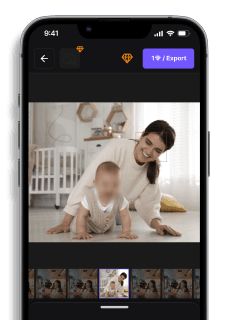
If you also create video content where faces need automated blurring — whether for collaborations, background protection, or multi-person shoots — blur.me's AI handles face detection and tracking in seconds.
Faces or plates to blur in your video?
Drop a video or photo in your browser and the AI auto-blurs faces, license plates, and personal info in seconds.
Upload free