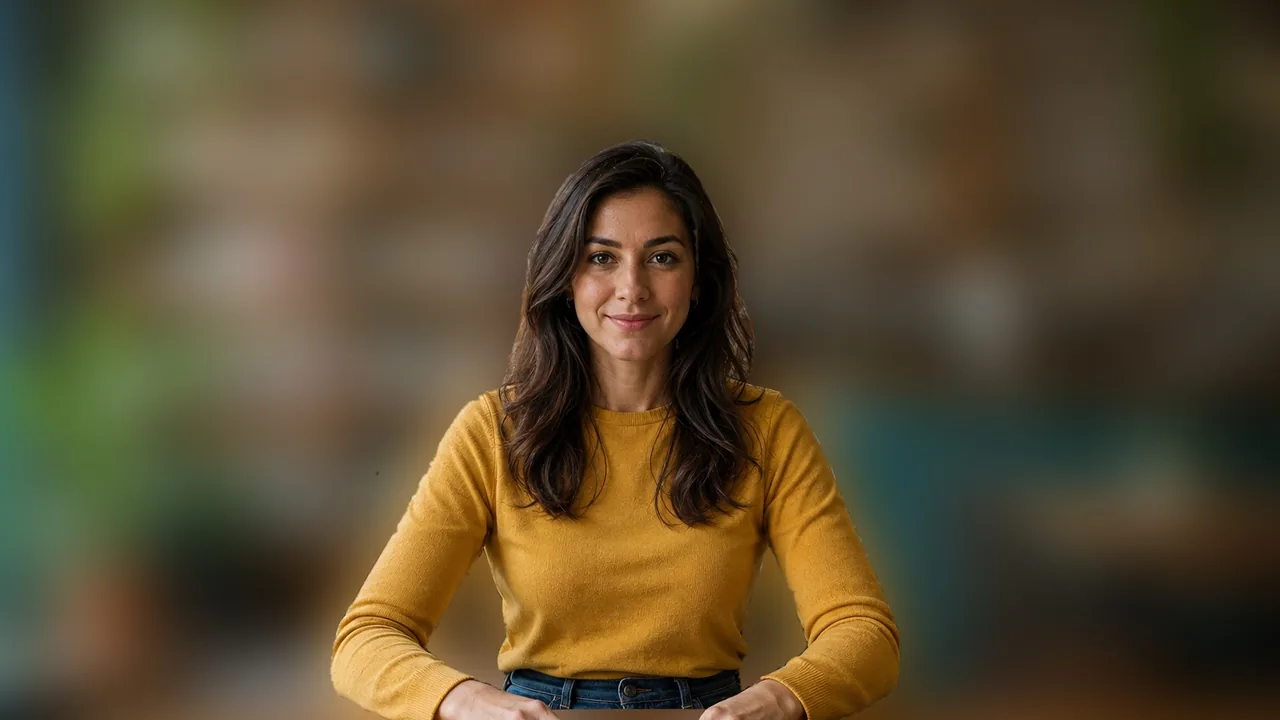
Easily blur photo and video backgrounds with BlurMe’s AI background blur tool. Upload your file and blur backgrounds in a single click.
Click the Upload button or drag your photo into BlurMe Studio. You can blur PNG, JPG and more.
Select the background area you want to blur. Adjust the size and intensity of the blur effect.
Click Export to save your blurred photo. Download it directly to your device or share online.
Start with a full-screen blur that instantly hides every detail of your photo. Then simply click the areas you want to keep in focus. You can highlight people, or objects while the rest of the image background stays blurred.

Take full control over your photo’s background with customizable blur settings. Adjust the blur size and intensity, and set the style as blur mosaic or pixelation effect to create a professional result in seconds.

BlurMe makes it effortless to create e-commerce product shots, portraits, and profile pictures with blurred backgrounds in a few clicks. Achieve professional results without complex photo editing tools.

As you walk, turn, or the camera shifts, the subject stays crisp while the background stays perfectly blurred. It’s motion-ready background blur that follows the action automatically.

Unlike standard editors that create "fuzzy" edges around your subject, BlurMe uses a proprietary Dual-Engine architecture for pixel-perfect segmentation.

Our engine leverages native-performance browser technology to perform real-time subject detection directly on your device. This allows you to calibrate the perfect "Bokeh" depth-of-field effect instantly on any PC or mobile device. By processing the initial detection locally, you get a smooth, zero-latency preview without the need for high-latency uploads or straining your device’s resources.
For 4K video and high-res photos, our PowerBlur™ Pipeline utilizes specialized hardware-accelerated cloud rendering. By optimizing the processing for high-efficiency video and image formats, we ensure your subject remains razor-sharp while background transitions stay professional and smooth. This hybrid approach maintains "motion-ready" quality even in the most demanding, high-action scenes.
BlurMe provides a secure cloud workspace where you maintain absolute data sovereignty. You can manage your processing history or permanently purge your files from our encrypted servers at any time.
We never use your personal footage or sensitive background data to train our AI models. Our PowerBlur™ engine relies exclusively on our pre-trained, high-fidelity proprietary datasets to ensure your intellectual property remains private.
Online retailers use BlurMe to create high-converting product imagery for marketplaces like Amazon, eBay, and Etsy. Our AI automatically segments the subject and applies a professional background blur to remove visual clutter and household distractions. This creates a "Studio Look" that increases buyer focus and significantly boosts click-through rates (CTR) and sales conversions.
Enterprises use BlurMe to sanitize background data in screen recordings, video demos, and home-office-based internal comms. By blurring the background of a video or photo, employees can protect sensitive facility markers or unauthorized personnel (faces/bodies) from appearing in external presentations. This is an essential step for maintaining ISO 27001 and SOC 2 physical security protocols.
Educational institutions leverage background blurring to protect student identities in classroom highlights and teacher training videos. To meet FERPA and student privacy mandates, our AI identifies the primary educator and automatically redacts the background—effectively blurring the faces and bodies of students in the classroom to ensure their digital footprints remain secure.
Vloggers and journalists use background blurring to maintain a professional "Cinematic" aesthetic while adhering to Public Privacy Etiquette. By blurring background crowds (faces/bodies) and street-level details (license plates), creators can publish high-quality content on YouTube or TikTok that respects the "Right to be Forgotten" and avoids potential legal claims from unconsenting bystanders.
Security agencies and legal teams use BlurMe to sanitize surveillance and CCTV imagery for FOIA (Freedom of Information Act) requests and legal discovery. Our AI automatically masks the faces and bodies of bystanders in the background, ensuring that only the primary subject of interest remains identifiable. This process is critical for meeting GDPR and Privacy-by-Design standards, allowing for the secure sharing of video and image evidence.
Medical professionals use BlurMe to prepare gait studies, surgical recordings, and patient progress photos for clinical review. By blurring the background, providers can de-identify bystanders, staff, and non-essential PII in sensitive clinical environments. This ensures the imagery meets HIPAA and HIPAA-HITECH standards for protected health information (PHI) de-identification.
Blur private details or unwanted objects in your background.
Automatically finds the subject to apply background blur easily.
Your data is private, secure, and accessible only by you.
Blur backgrounds in hundreds of photos or videos at once.
100% online so you can blur backgrounds on iPhone or Android.
Download photos with blurred backgrounds in high resolution.

Achieve a professional "Cinematic" look for YouTube and TikTok. BlurMe keeps you in focus while smoothing out messy room backgrounds or distracting street scenes, allowing your content to stand out with high-end bokeh effects.

Instantly turn a casual photo into a professional headshot for LinkedIn or your company website. Our Native-Speed Edge Engine creates a high-end "Bokeh" effect, smoothly blurring cluttered home-office backgrounds while keeping your subject razor-sharp. Achieve a studio-quality look without expensive camera equipment or complex editing software.

Respect the privacy of others in "sensitive environments" like fitness centers, cafes, or crowded landmarks. Before posting your workout progress or travel vlogs, use BlurMe to automatically blur the faces and bodies of everyone in the background. This ensures you are following ethical sharing standards and protecting the privacy of unsuspecting bystanders in public spaces.

Redact videos securely with BlurMe’s AI redaction software. Automate video redaction using AI.
Pixelate images online with BlurMe’s fast and free image pixelator. Add a pixelation effect easily.

Blur faces in photos online quickly and easily with BlurMe's photo blur tool.